for some reason image uploads get stuck at 100%. Bluesky is the same way. I have to wonder if it’s an internet thing or something
1 Like
My work laptop kicked the bucket this morning, and since I’m entirely remote, I had to install the company portal/Teams profile so that I could coordinate with IT to fix the problem. They said that it should partition everything such that my personal app usage is unaffected by my work app usage and vice versa, but I have to suspect that this process is the reason that SB looks like this, despite still using mauve’s blue:

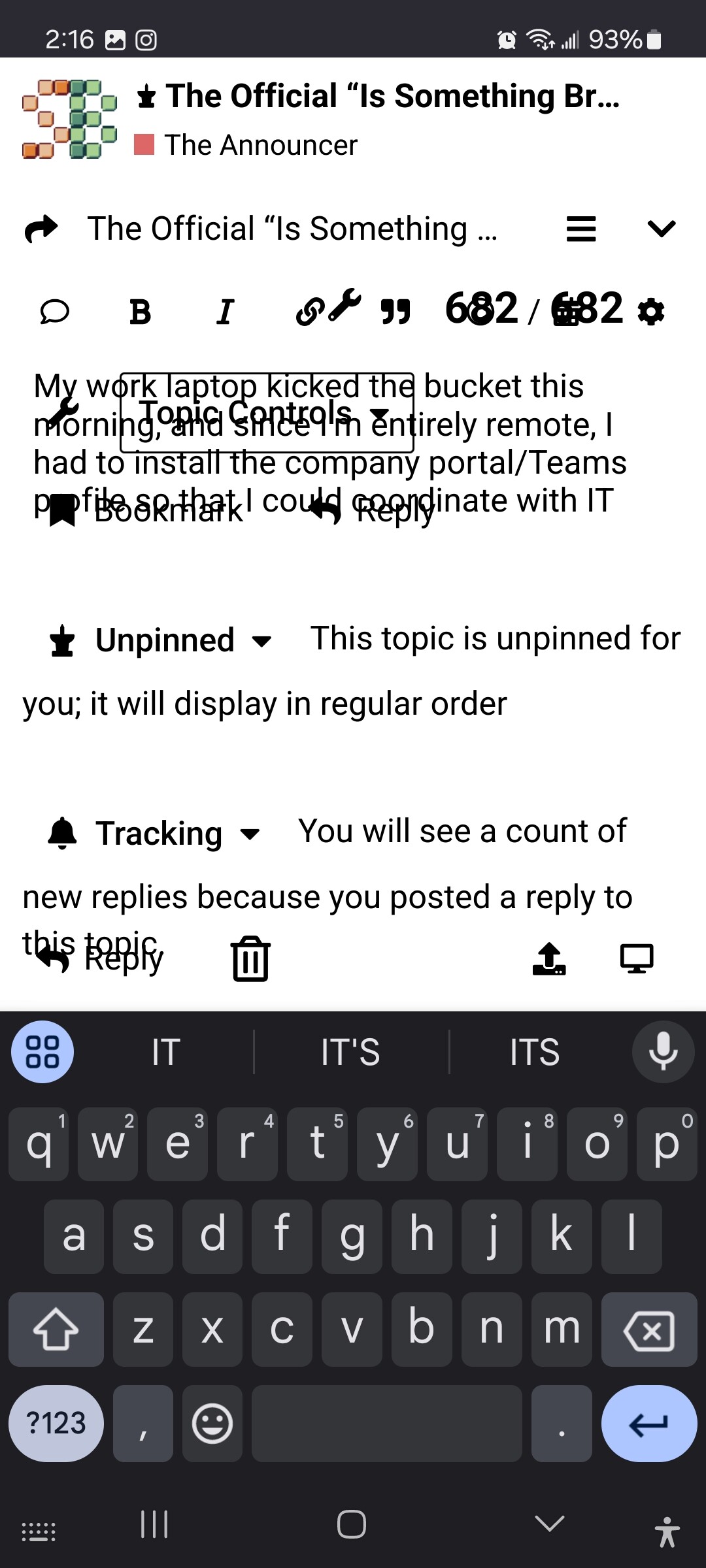
Utter garbage. Unacceptable.
1 Like
3 years ago I started the process to put a work profile on my phone, and there was some kind of verification process I was supposed to do with the agency’s IT department that I could never be assed with, and now there are two ! notifications permanently on my bar forever. They cannot be made to go away.
3 Likes
(not really suggesting something is broken, just a question)
don’t want to mess up the nikki thread with this, but why when i upload a 3840 x 2160 image does it get converted into a 1920 x 1080? i know discourse converts it to make it look like shit save space
captainlove has a 3840 x 2160 picture in the thread so it seems like you can have images that large (??)
am i uploading it wrong somehow?
1 Like
captainlove has a single 4k image in that thread, and it’s a) under 400KB b) the only one in that post. i imagine that one or both of those attributes are the reason
2 Likes
I was getting a “bad gateway” error page trying to get to the forum for some hours yesterday morning and I think into the early afternoon, PST. It’s something I’ve seen here once in a while, very sporadically. If it isn’t just me, what tends to be going on with that?
Also, is there an off-site spot–social media account or something–to check for forum status updates?
1 Like
the site was down for like 14 hours yesterday for everyone
3 Likes
@HOBO has a discord server called the beautiful game that is kind of an unofficial gathering for Sbutts. I think you need an invite?
1 Like
It’s a temporary server configuration issue that pops up from time to time. Yesterday it was flagged during a busy period so it took longer than usual to fix. The volunteer web admin has some backup help for it now.
There is not an official off site place to check for status updates, our official status updates would be here. We should’ve mentioned it yesterday after the site came back online, sorry about that!
3 Likes
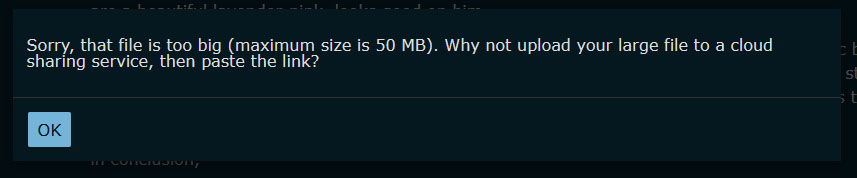
i get this with photos taken with my iPhone
1 Like
i’ve had it happen for files which are like 15mb according to my phone
1 Like
the file upload size limit game is tedious, still the outcome is the same (resize & try again, host externally)
would love it if the number in the message matched the enforced limit but I bet it’s being restricted by a weird entanglement of nginxes fighting over HTTP headers
1 Like
On the iPhone when selecting the photo I use settings to pick “large” instead of full size or whatever to compress it significantly.
5 Likes
while i don’t know the precise reason behind the particular file size limits as described vs in reality and i agree that discourse can often be unnecessarily ornery, i would like to gently remind everyone that hosting is paid for by a widely-respected member of the community (who might prefer to be anonymous i can’t remember). i’m on mobile 95% of the time so i’m not at all invested in full-res uploads but i get that i might be an outlier here
4 Likes
yeah like it’s definitely competing Nginx misconfigurations but image hosting isn’t free. what’s wrong with you all that you need to upload 20M images. don’t do that
9 Likes
I keep getting “this post is being editted in another window.”
1 Like
well… is it?
when i get that it’s because i have a tab open somewhere
I don’t, I have it appear on novel New! posts being written from scratch
probably intermittent connection blips to the Discourse API, and the JavaScript front end misinterpreting the error
2 Likes