I miss giving star ratings on a 5 point scale and having iTunes generate mid playlists of 3 star songs for reconsideration
3 Likes
i’m tired of spotify’s shit so i switched to TIDAL
it has everything spotify does but the quality and breadth of the library was enough to make me switch
it also has last.fm support which was the only reason i stayed with spotify for so long
3 Likes
Only on spotify for that playstation support.
1 Like
okay so i noticed that video game soundtracks
are hard to come by on TIDAL but i feel like that’s something
that’ll change with time hopefully
In reading up on theories that Spotify’s recommendation algorithm is a payola scheme, suspect that YouTube Music’s algorithm is too reactive to recent behavior and tends to serve up more of the same which works okay for video but isn’t what most people want out of music
this would be a lot easier than maintaining a good algo so it’s probably real
2 Likes
i would personally like to thank whoever the fat cat behind whatever rights holding company is responsible for Pastor T.L. Barrett & The Youth For Christ Choir’s Like a Ship (Without A Sail) constantly appearing in my radio feeds

1 Like
I just sorta assume anything a major record label is willing to sign off on is going to be payola adjacent at teh very least.
Is payola a specific term in this case?
Yes, it originally meant labels paying radio DJs to play certain songs (which is illegal in the US when not disclosed). It has since expanded in colloquial usage to refer to any sort of pay-for-play scheme
2 Likes
In Spotify’s case, there is a Swedish company that sells music from “artists” who may or may not exist, and this other company completely owns the rights to the music, and their stuff shows up a lot in Spotify-curated ‘mood’ playlists, which are the lists that get played a lot. I think Spotify hired one of their execs as well.
1 Like
ok update: apple music has a couple of great things over spotify
1. Better sound quality.
lossless on mobile (Apple Lossless Audio Codec / ALAC), which is great for peace of mind. i dunno what spotify uses but it just doesnt scratch that itch for me.
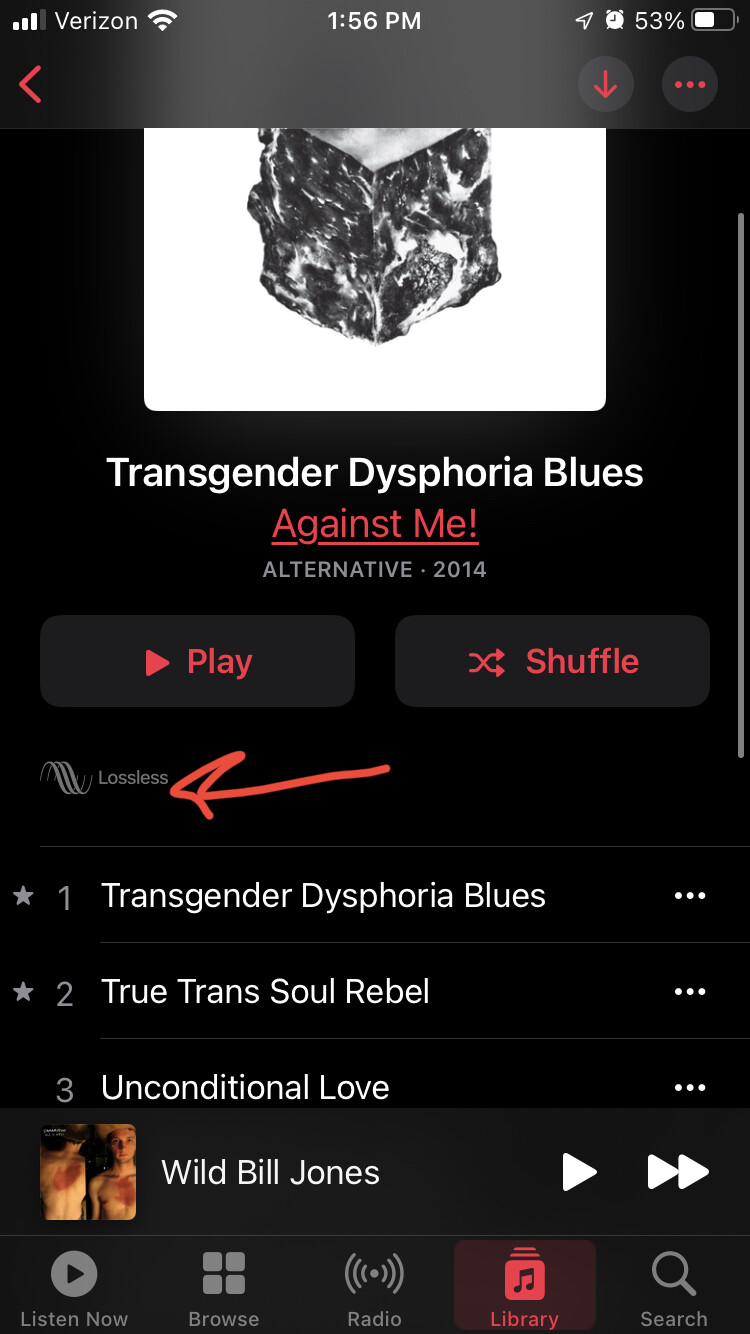
2. More informative presentation of the music.
nice view of album art and album details. informative artist summaries actually read like they were written by critics. has two features to curate/suggest the best albums for an artist (“essential album” picks) and best tracks (have a little star icon, as seen in the screenshot above). if you use the 1st party iOS app (Music.app) you get lyrics display built in.
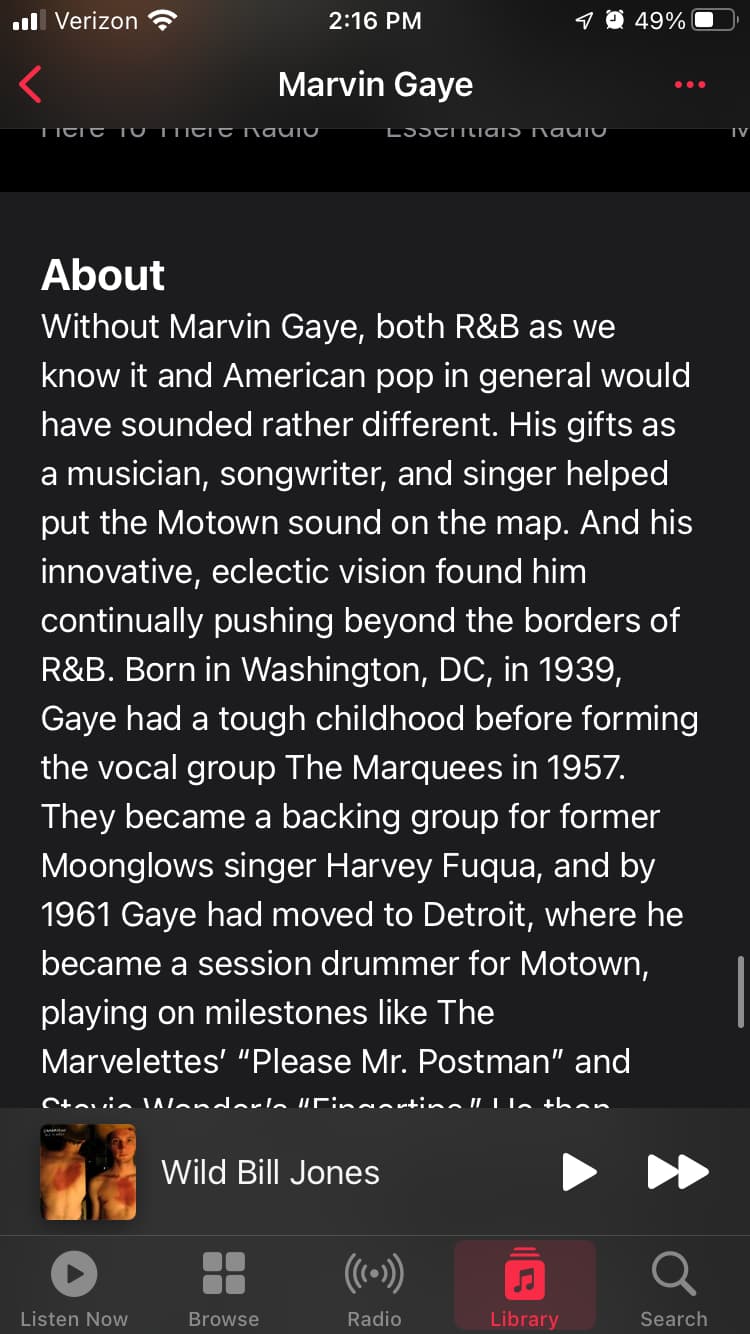


‘loving’ a track is guaranteed to sway the algorithm to recommend you more like that. speaking of which…
3. Separate “library” from “likes”.
Pressing the heart likes a track for the benefit of algorithm; pressing the plus sign saves it for easy access later. This means you can ‘save’ classic albums in their entirety while only ‘loving’ the standout tracks that you really want more of. it makes a lot more intuitive sense to me. By default adding a song to a playlist adds it to your library, but I suggest disabling that option and keeping them separate.
4. Better playlist storage.
Spotify’s playlists were always just one big horizontal mess; Apple Music’s have more categorization possible. Especially if you use marvis pro…
5. Marvis Pro
ok this is a third party app ($7 ish?) but it destroys the shit out of spotify’s feature set.
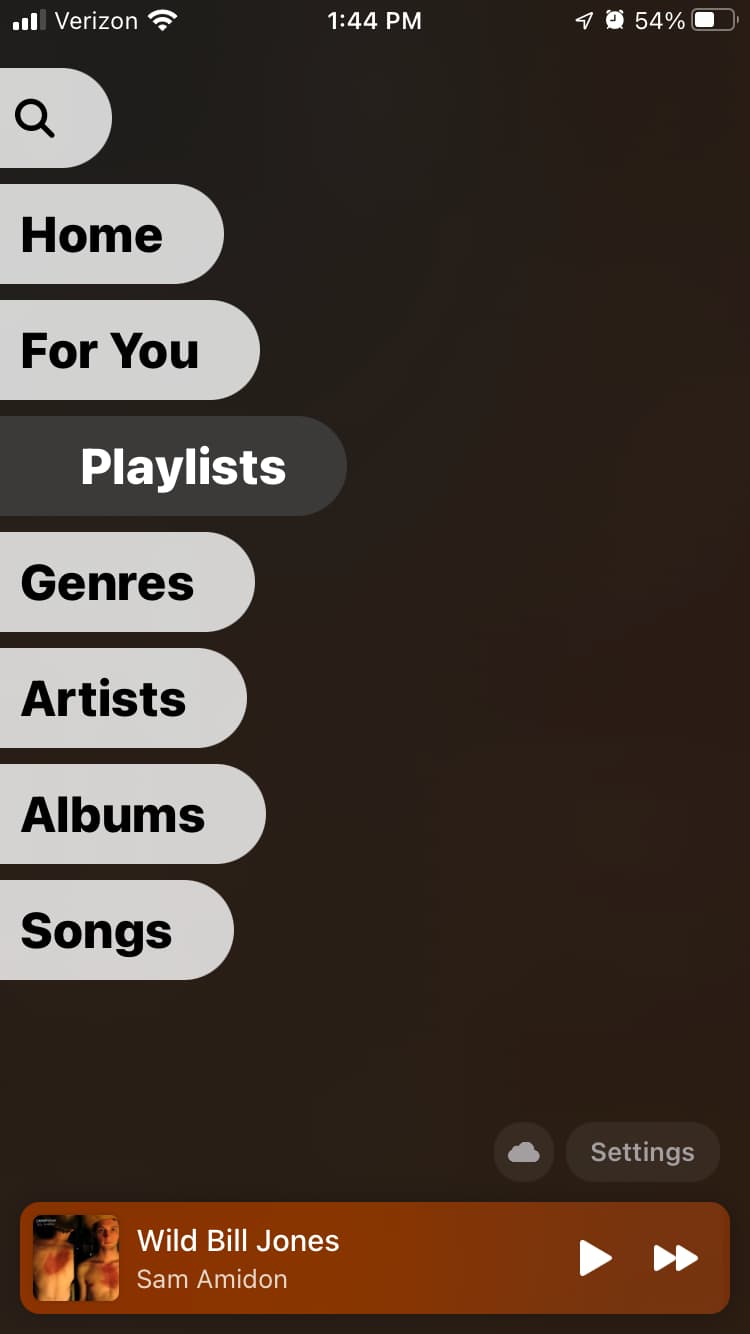
- swipe right anytime to reach the main menu, which can be customized with as many tabs as you like, in whatever order you want.
- each tab can contain multiple sections, customizable. these sections can nest within each other and you can travel down several layers of categorization and hierarchy.
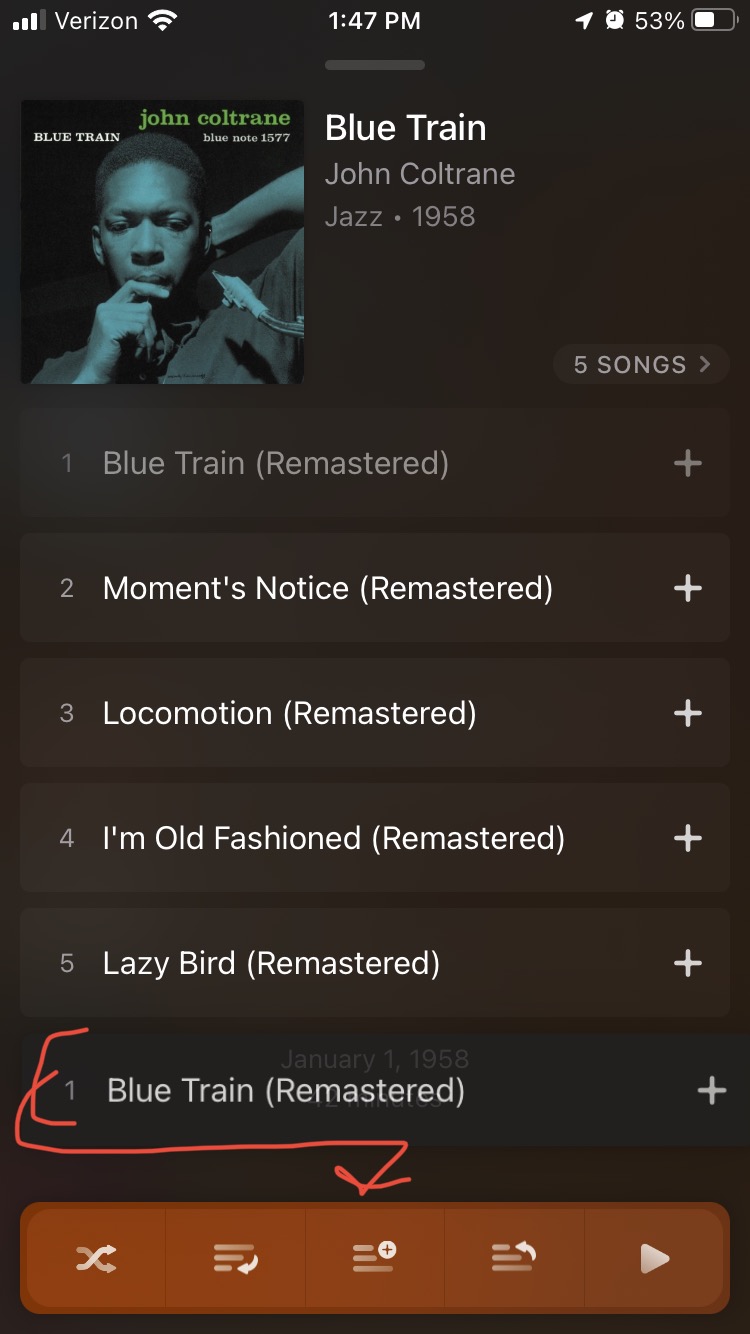
- drag and drop any album or song to add it to the top or bottom of your queue, add it to a playlist or your library, shuffle, play now, etc.
- and oh yeah Marvis has last.fm support which native Apple Music doesn’t.
here’s my use case: the vast majority of the time I’m either listening to albums from my library or my “Listen Later” playlist, which contains whole albums I’ve been meaning to get around to. anytime I see an interesting album I drag and drop it onto the “add to playlist” icon. I have it set up so that playlist is then grouped by genre and by album, sorted by year, so I can pick and choose from a menu of options.
drag and drop, add to playlist -
main menu -
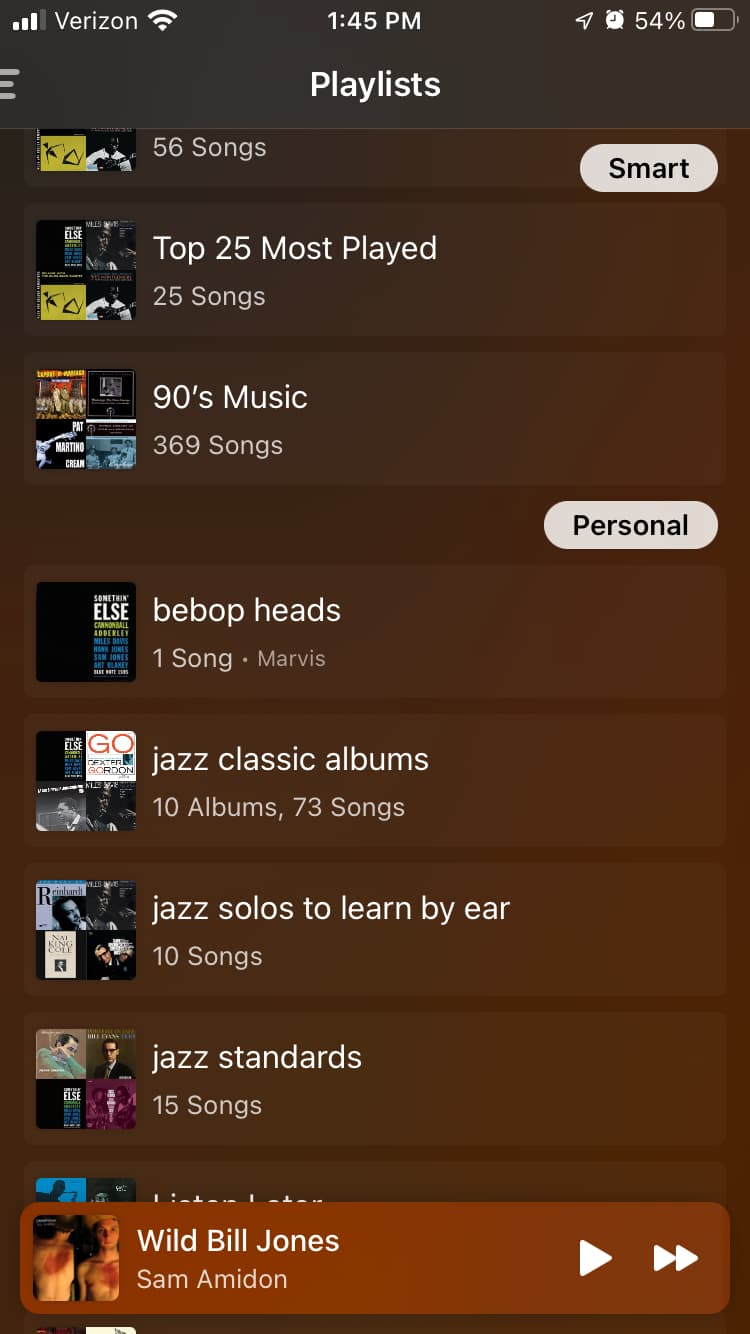
playlist custom display rules -

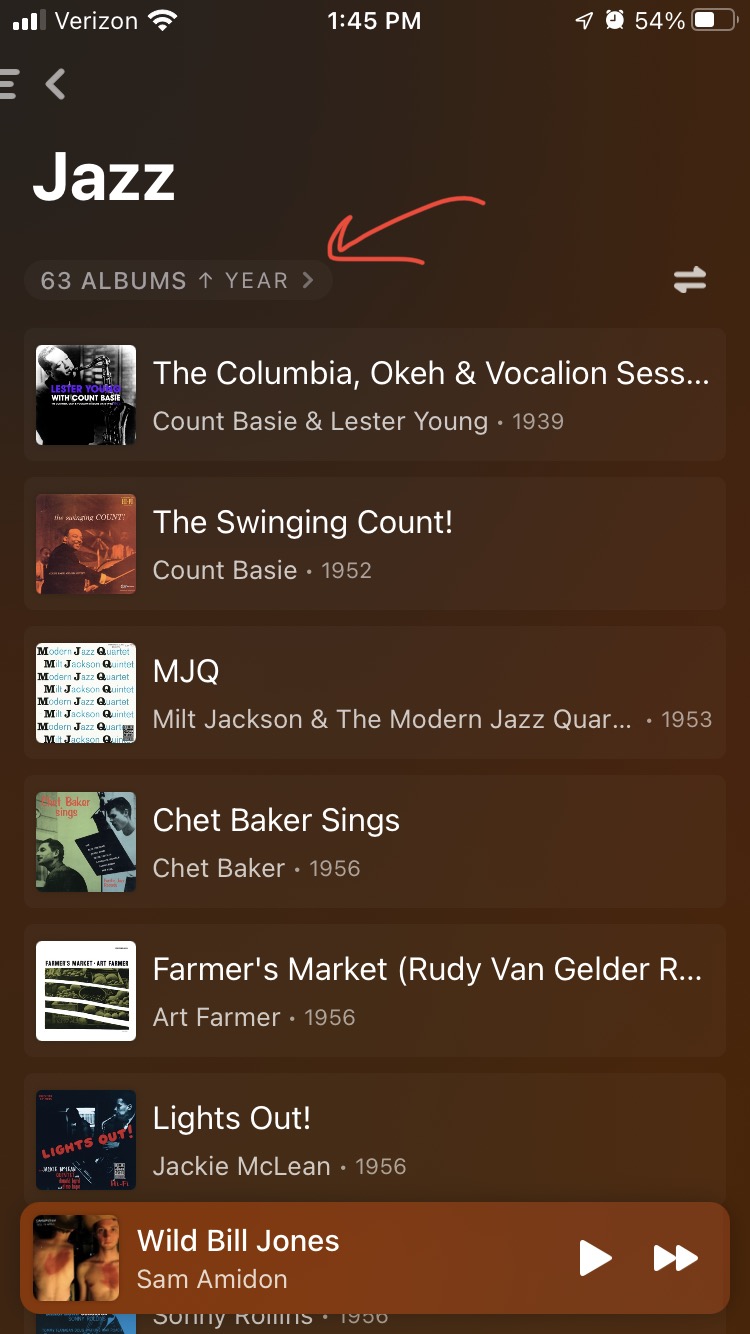
… and if I really like the album I just hit the + sign on it to add to library, and optionally add it to some more playlists.
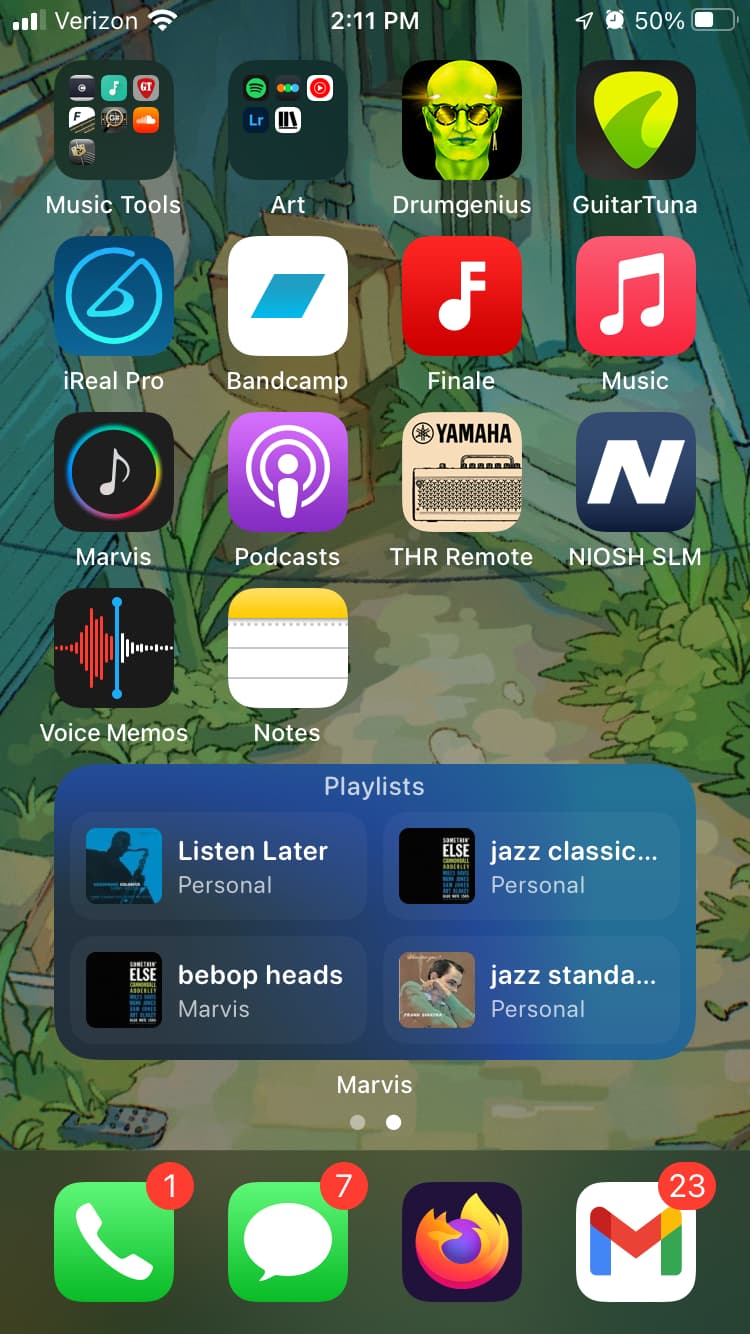
btw with the new iOS update allowing “Stacks” on the home screen, all this comes with an iOS widget so I can access the Now Playing / Listen Later playlist / any of the tabs I choose, directly from main screen of my phone.
6 Likes
Think I mentioned it elsewhere on the forum but Marvis is really great, seconding.
1 Like
post can’t be empty
still happy with apple music / marvis pro fwiw
i set up my own subsonic server as well (using navidrome + tailscale, i think i’ve detailed this elsewhere)
1 Like
hmm looks neat
1 Like