secondary passkeys are easy to set up, for backups
con:
touching computers
security is confusing and annoying
screwed if you lose access to the device your passkey is on
at work, we use Keeper to store passkeys. personally, I use macOS Password.app (on my account) & Google Password Manager (on the device). if I had a stronger security posture I’d get a couple of hardware keys
Urgh looks like I need to update my BIOS to get the new Windows Secure Boot cert, and USB BIOS flashback on my motherboard requires this “ROG Strix Hive” dongle that I put in the garbage a long time ago because it didn’t spark joy.
I ordered another “Hive” on ebay for $70 but it didn’t come with its factory USB-C cable, and normal ones don’t fit
you can update the bios on that board from just a regular file on disk iirc though iirc it will blow up your XMPP configs, I never tried the magic USB stick method to see if that didn’t
I would doublecheck the UEFI, you should be able to backup settings on modern Asus motherboards
but turning XMP/EXPO settings back on is like flipping a switch, a lot of boards expose turning on on DIMM timings on the non-advanced front page
aside: hey MSI/Gigabyte/ASRock make perfectly fine boards that often give equal or more functionality for lower pricing (though admittedly Asus is p good about hitting the right balance in rear IO)
I’m currently biased towards MSI because they gave me a board with a 5 gig NIC, please ignore that it’s on a dead socket
Someone here posted a video about an occult Plan9 OS deployment. Sorry for not remembering or being able to find it but I need it now. Not for any good reason, I just do.
latest wd passport is dying, I guess. just doesn’t load up and the light blinks when I plug it in. I think that’s the third one to just die after a couple years of use. what exactly is the point of these? just launch me into the cloud, please
Somewhat related to this, I feel like learning to do basic repairs on HDDs (short of requiring clean rooms) is something worth learning now. When I did compy repair we would send off complex data recovery and I would need to talk with the technicians at one of these places.
During the course of seeing through one ticket I learned that a lot of repairs don’t need clean room time (it was encouraged to avoid booking that time for cost, I assume) and it was mostly finding parts that could take a long time.
I’ve had a lot of success recovering stuff of of failed drives with Photorec if you have a Linux machine handy and Disk Drill doesn’t work out for whatever reason.
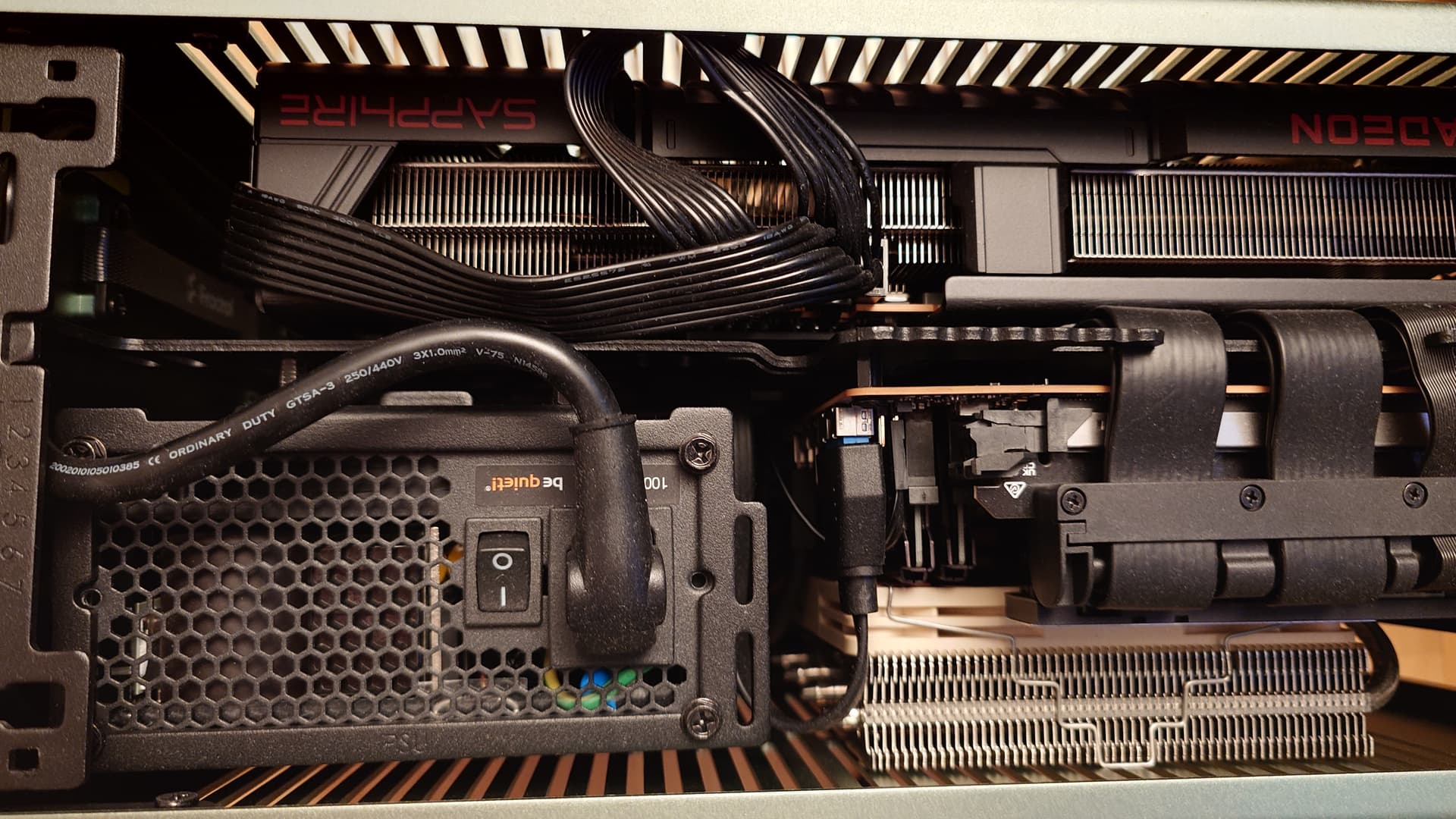
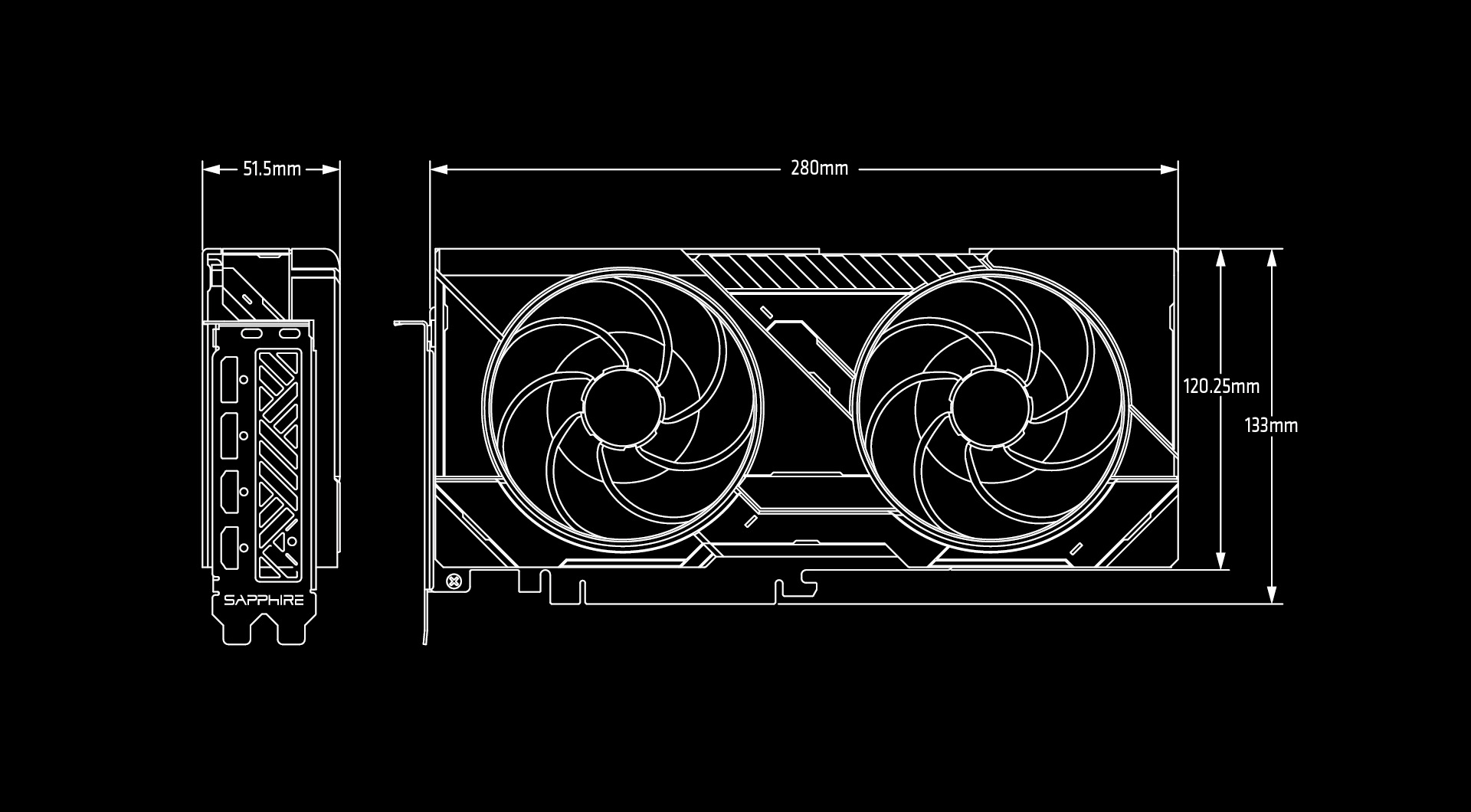
the inevitable endpoint of building the small computer has come: I must find the most powerful GPU I can shove into 280mm of clearance for the least amount of money I can stomach spending while being a good enough upgrade to the 6700 XT in there that also doesn’t hate Linux. and it should be white.
there is no amount of Goldilocks-ing I can do to find a good choice
it’s the Sapphire Pulse, which is 280mm exactly and also is in stock at a reasonable price in exactly one place and the idea that it’s 100 bucks more thana 5070 I can source has me going “I can suffer the Nvidia Linux driver”
yeah ok so we arrived at the same conclusion fairly quickly. I think a 9070 may be straight better than a regular 5070 if a 5070 Ti is off the table (I would rank them in that order if you don’t have specific needs)
Oh I didn’t realize Zotac finally made a 2 slot 5070 Ti, that’s nice, now I don’t have to recommend that hard to find Inno3D one. It’s too long though