

5 Likes
Microsoft is looking to charge a $1.50 enterprise fee per hotpatch, per core; to not force a reboot on the server when updating.
I don’t think I could have imagined a more hilariously hostile business decision if I tried.
5 Likes
this is what lunch used to cost in my elementary school
4 Likes
needed to replace my current machine for some time now, but have been putting it off as i am certain that i will end up either overpaying for something that’ll die in a years’ time when the PSU gives out (if i go with a prebuilt) or mess up one or more crucial parts of the assembly process if i attempt to do it myself (“it’s just adult LEGOs! anyone can do it!”)
needless to say, any advice along these lines would be much appreciated
1 Like
if you are in the US, it’s probably not a great time to buy due to tariffs stuff, but i haven’t been following what has been happening with that so maybe they got rid of them already.
also in the US, gamers nexus had a vaguely positive review for a thermaltake pre-built at the start of the year. i think they buy their pre-built review samples without the company knowing, but i feel like a sample size of one is hard to make general claims about unless it’s bad … looking at this page, asus, corsair and cyberpower seemed to get negative reviews recently, and thermaltake and starforge got positive ones.
i was able to build a PC, so probably anyone can do it. i guess there’s two parts, figuring out the parts you want, and then actually putting it together.
i just watched youtube videos and researched a bit to make sure i didn’t do something like buy a graphics card that was too long for the case i wanted. there’s sites like pcpartpicker which can tell you things like that too, i think. there’s also a PSU tier list somewhere which shows which PSUs are good and bad, i guess thats useful for pre-builts too if they actually tell you the parts.
if it’s mainly for gaming, the graphics card will probably be the most expensive part. to figure out which one to buy, it’s helpful to know what kind of display you are going to use (in terms of resolution and frame rate). and also if you particularly care about ray tracing or using the gfx card for things other than playing games.
for actually putting it together, again i just watched youtube videos for any parts that i wasn’t confident about (seating the CPU and applying thermal paste were the worst parts).
building it myself made me consider pre-builts better value (i spent a lot of time researching). i didn’t save much money over the cheapest pre-builts in my country in terms of raw specs, but i feel like i got better quality parts and also i feel more confident in adding or changing parts.
4 Likes
The part compatibility research up front on my last build in 2023 was definitely the most complicated part for me. pcpartpicker.com will warn about certain types of incompatibility but I was going for a small ITX build and it didn’t know about physical size constraints, so I had to look for those in spec sheets and calculate them myself. The size of the CPU heatsink was the most complicated thing to shop for, and I actually ended up buying several and returning the others.
At assembly time, I did mess up the power supply installation and wound up stripping several screws, but despite that somewhat precarious installation it still survived a cross-country trip in a suitcase. Note that my difficulty here was also related to the ITX case. So basically I made things more difficult for myself by wanting a smaller computer, everything would’ve been more straightforward if I had picked a large spacious case.
You would probably not screw up the assembly especially if you have a healthy humility about your skills. You can buy parts reputed to be compatible and easy to install, and you can watch a youtube video about every single aspect of the installation before you do it. The main problem is this is all quite time-consuming and anxiety-inducing so prebuilts are indeed pretty good value if you want to avoid all that.
5 Likes
building a pc in an ATX (or larger) case is significantly more intimidating than actually difficult/challenging. not that it is entirely trivial, but the perception of its difficulty outstrip its actual difficulty these days. building my first PC in 2011 or so was considerably more challenging, on more than one axis, than the last two builds I did in 2019 and earlier this year respectively.
i get nervous because i’m a klutz and oh gosh what if i press down too hard on the CPU or put the wrong amount of thermal paste!! but in practice, there are really a spectacular amount of great videos and resources, including coming here to the forums for help. if you’re at all patient with the process, you’ll be fine
my suggestion: the Fractal Design North is easy-mode as far as building goes. you can make it even easier if you get one even bigger than that, as it’s easier to work in, but i didn’t have any trouble maneuvering cables and tools and a chunky GPU in the North.
the other thing i personally recommend is a modular power supply. most decent ones will be like this anyway, but i find this particular feature super helpful for new pc builders.
4 Likes
Yeah the North is an easy recommendation, I don’t see how a different case could make a meaningful improvement unless you’re looking to do something really specific i
1 Like
I’ll straight up copy parts of folks’ builds on pcpartpicker when it comes to determining if this cooler and this video card will fit in this case etc.
Especially with the gigantic air coolers I like to use.
4 Likes
GTX 1660 Super 6GB for sale
2 Likes
like, seriously … are we in the age of HDDs becoming a lifestyle product?

2 Likes
in other news, put Ubuntu 25.04 on my desk mini machine to give it a spin before wiping the ageing popOS partition on my ThinkPad T450s.
… and thinking of trying to upgrade the T450s in the process — not because it is necessary, but rather to give it its first Upgrade (hardware-wise) in a decade.
Kinda wild to think that the default config has tided me over a decade so effortlessly that it’s actually more of a ‘i wanna treat this machine to some extra hp’-thing than ‘this machine is getting long in the tooth already’ issue. So much so that it would also be cool to leave it as-is and just roll with its factory-spec as long as possible
8 Likes
as it turns out, there’s an RX9070 GPU that’s dimension-wise pretty much a FFF replacement for my Trusty-Rusty VEGA.
Well, what can i say
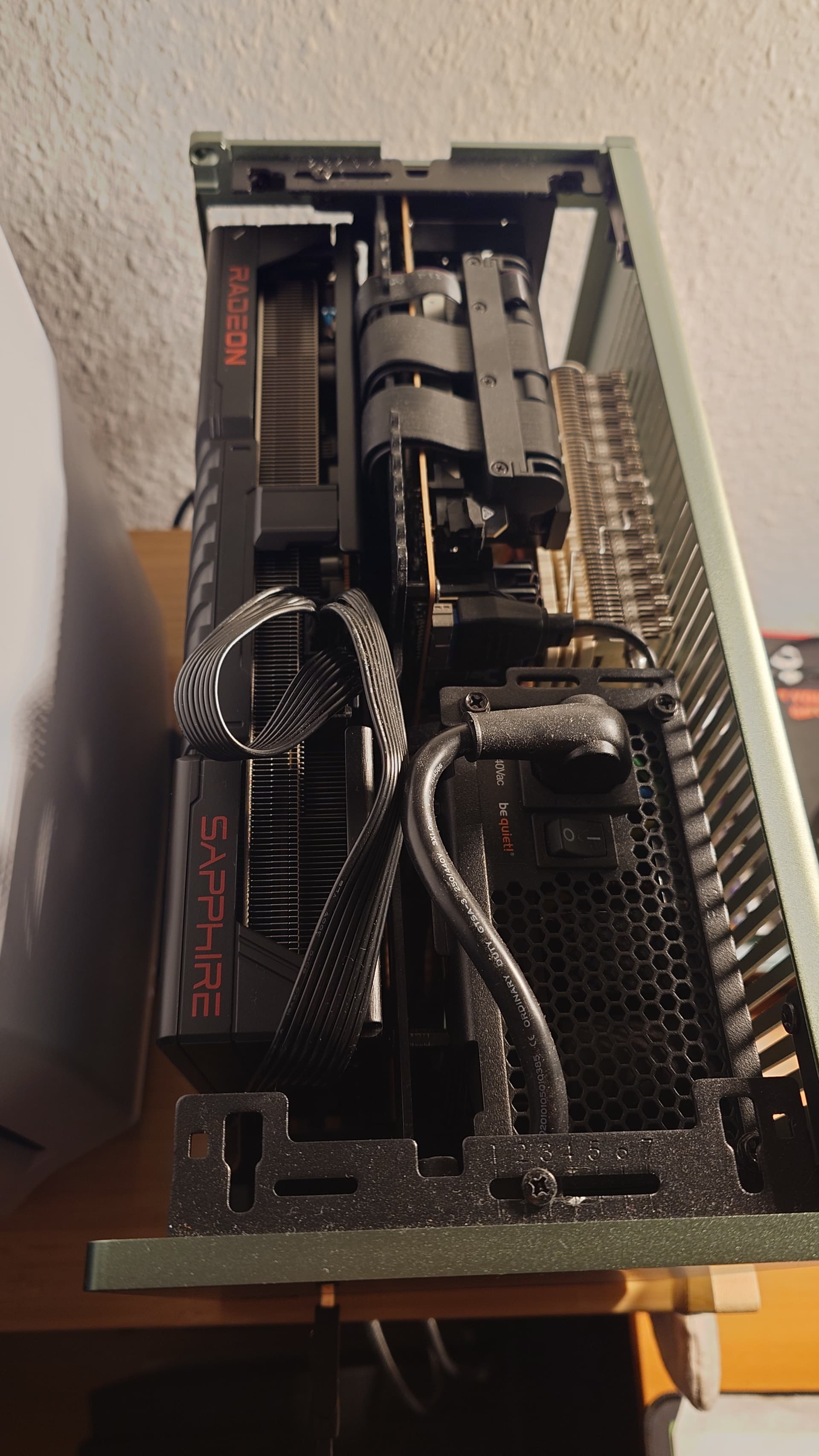
i am weak and want to put a checkmark on the laundry list for my HTTTPC, the 7950X3D finally gets an adequate GPU to play with.
Le Mans Ultimate in 1920x1080 with almost everything turned on/up looks great, i have to admit
6 Likes
Father in law gave us a backwards compatible PS3. It wasn’t reading discs but after putting it horizontal it started working.
I only have one PS3 disc at the moment and it still won’t read that, but it’ll read Blu-ray movies so I guess it’s probably the disc itself.
2 Likes
Went to Micro Center today for the first time in a long time and, like all the previous times, made one of the most intensely satisfying purchases of my life:
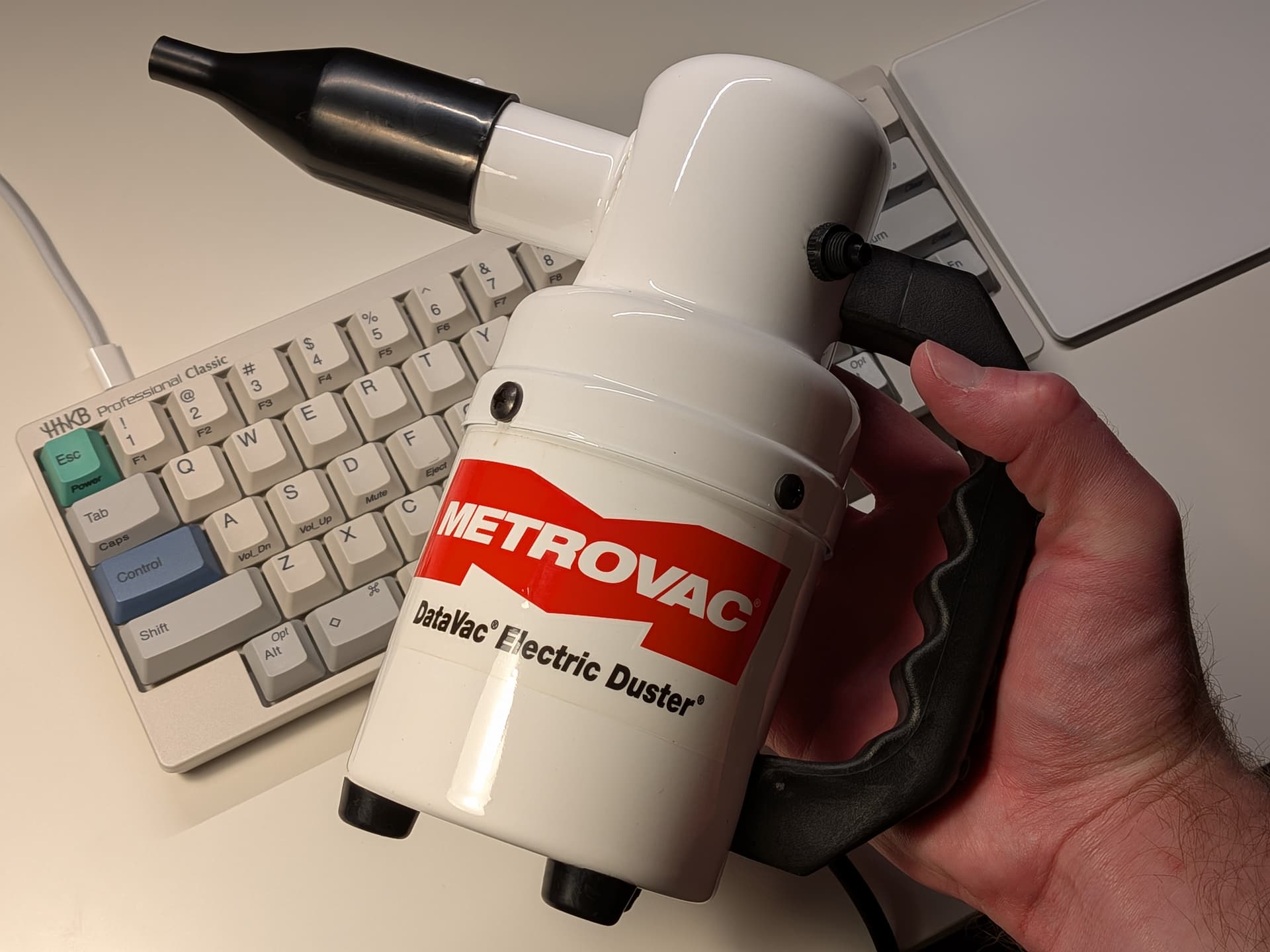
It’s very powerful and has all the hallmarks of american power tools: overbuilt, crude ergonomics, leaking lubricant, silly name. There’s a variable speed version but this isn’t it, it’s just an on/off button.
12 Likes
mine is called SINSHINE which I adore
up there with this one https://selectbutton.net/t/tom-clancy-s-ghost-pictures-reconsideration-x/14773/1200
I sure hope tariffs don’t take weirdly funny amazon brand names away from us
2 Likes
lol I didn’t click your link and was about to upload a screenshot of the same product, truly incredible. They don’t do the anti-static stuff anymore but when i need bubble mailers I really am loyal to them.
Gently moved my computer and now it’s refusing to do memory training after I turned on the wifi nic cmoonnnnn
8 Likes
yr link doesnt work (perhaps because the thread is in the axe bin?)
1 Like