Hey it beats Windows on an x86 laptop
2 Likes
I would argue that you suffer Windows because MS pays in blood for infinite backwards compatibility and running on Arm seems like taking one of the good things about Windows, dousing it in gas and lighting it on fire
6 Likes
yeah I think I would honestly only use windows on arm under parallels like you’re doing or otherwise virtualized because at that point the use case is like using wine to run a specific program but mostly all bets are off
1 Like
some microsoft applications still don’t even have real arm versions, they just stick it in a wrapper
they shipped that qualcomm surface in like 2019?
1 Like
cursory googling suggests as of this month five years later we’re still right around the corner from a qualcomm chipset that might make a decent windows arm laptop if the OS was ready, which it isn’t
the writing is real desperate too. like, no, the m1 didn’t “rival” contemporary intel parts lmao
you could mad libs a blog post about android wear watch roadmaps instead
4 Likes
(i am bitter because the one application i work in most is windows-only x86-only and doesn’t virtualize well because it eats all of the memory)
2 Likes
The upcoming Qualcomm chipset at least motivated Google to make a build of Chrome for Windows ARM
3 Likes
I guess OS X window management is tolerable given a few light modifications
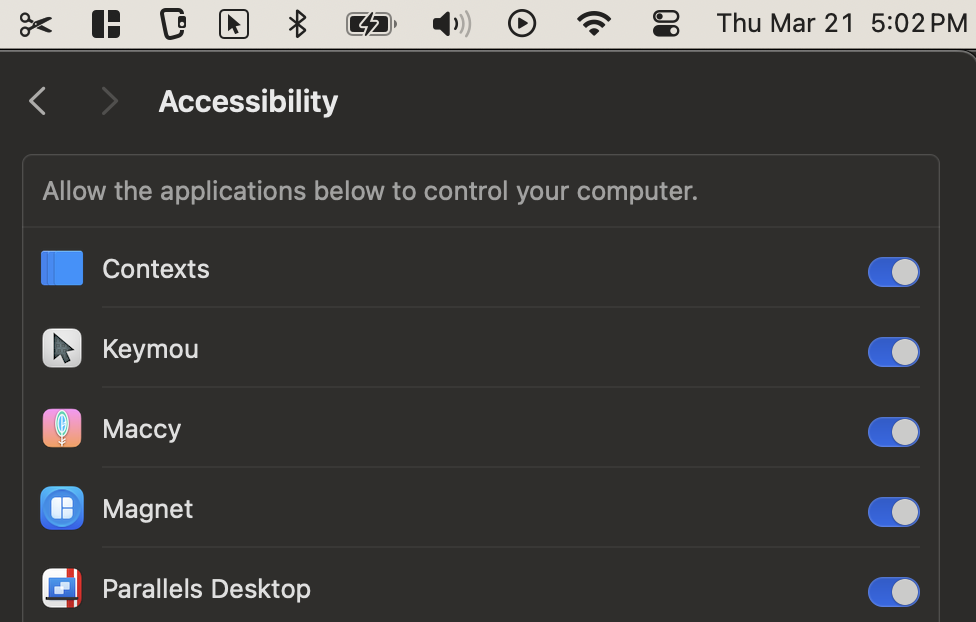
(I’m realizing one reason why I hated the OS on my corporate laptop is that the security policies made it hard to install this kind of thing)
7 Likes
the one good thing about 11 is the window management, it’s so much incredibly better than every other default OS option and all they did was steal from the PowerTools team
no Microsoft, I still won’t install 11, stop asking me. hey, backport AutoHDR instead.
5 Likes
I checked up on this and I’m wrong. modern HDDs can tell when the power goes out and they weren’t told about it beforehand
5 Likes
some guy had a top-of-the-line M1 Air with US layout listed on eBay that I’d bookmarked when somehow I thought £600 was too much. it sold 45min before I’d remembered about it
found a shop with a sale that had a single bottom-of-the-line ANSI refurb in stock. the new keyboard is too bouncy. everything else is extremely good
1 Like
Anyone know of a handy hdcp stripping hdmi switcher? I need 2-4 in 1 out, 1080p. Or maybe just a 1:1 stripper and I can find a big switcher at re:pc or something
1 Like
ps @parker I just confirmed that you can hook a DP 2.0 monitor up to one of the USB4 ports on the X670E-I and have it work with freesync while still rendering on the Nvidia GPU, you just wouldn’t use gsync at that point
so having this stupid expensive mobo does in fact make up for the Nvidia DP 1.4 limitation should it ever come to that (though, again, you can do 4k120 with DP 1.4+DSC, so Nvidia is kind of right that it’s unneeded)
(just like getting a chinese 2 slot 4090 made up for my gripes about memory and form factor. I successfully future proofed myself! with the dumbest and most expensive hardware configuration of my life)
1 Like
I picked the other sweet spot on the 2023 graphics card pareto curve and went with an unbalanced config of Ryzen 9 7900/RTX 3060 8GB (both almost exactly the same price at the time, with one being in the top 3 most powerful consumer CPUs, and the other one being the lowest-end previous-gen GPU…)
I bought it fully planning to swap out the graphics card when I come across a game where it seems to matter. But despite having chosen a conspicuously underwhelming GPU especially on the memory front, it seems that might still be years from now, especially since I can use DLSS to fit games into my graphics capacity while still keeping most settings on “high”
yeah we are at a point where most games’ graphics budgets have to satisfactorily scale between 2 and 85 tflops to be reviewed well which is absurd but there you go
I’m personally just very fond of “mid end CPU / high end GPU” and have been for years – I’m fairly opinionated about being able to use hardware acceleration (or at this point I guess a larger LLM memory training space) wherever possible, and I usually wind up having to replace my GPU not because of sheer rendering power but because I needed a new CPU anyway and I got feature limited by DX11 or by mesh shaders
1 Like
Out of curiosity, does your RTX 4090 also have the bug where Chromium-based browsers and apps show a weird checkerboard flicker pattern sometimes? Like this:
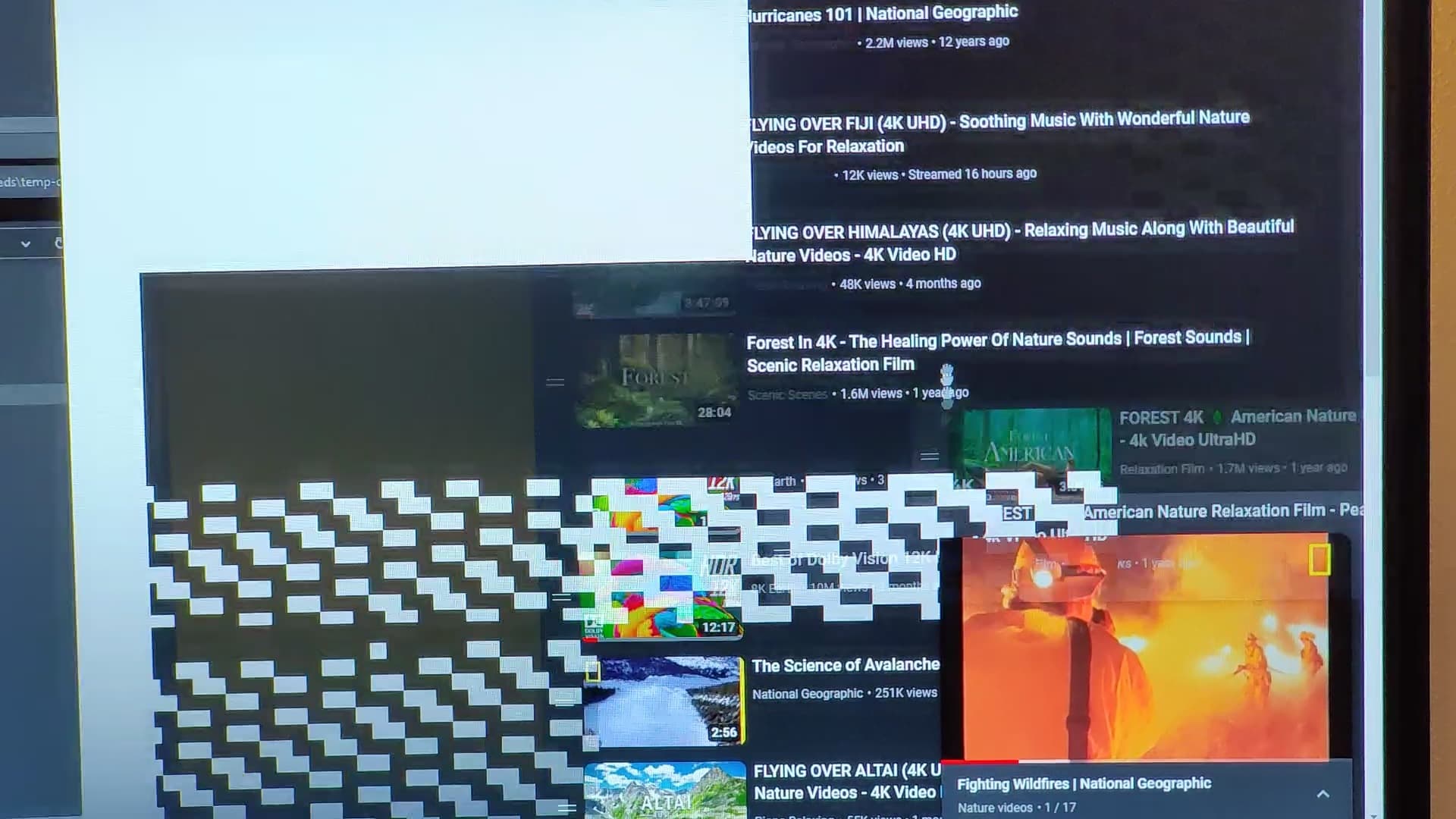
Second to the memory training thing, it was the dumbest problem I ran into with these supposedly high-quality PC parts. It irritated me enough I trawled Nvidia forum posts for an hour until I found a link to crbug.com/40281472 finally explaining what it is and how to workaround it properly
1 Like
I have a little buyer’s remorse with this mini gaming PC I bought, mostly because after about a month of playing Tears of the Kingdom on my Switch Lite I feel like I really would have been better served with a Steam Deck or something
4 Likes
afaik no – I’ve never encountered it, but I’ve also not had memory training issues after the first couple boots and a bios update, so I guess I’ve gotten lucky
I do get an issue on this machine where Signal’s Electron constantly freaks out on the Nvidia-connected display because for some reason Electron wants to use the AMD iGPU no matter what and is writing to the wrong framebuffer (idk why they don’t just use chrome’s upstream display detection, it never happened on my old Intel/Nvidia configuration either), and on my previous Titan Xp machine there was a chrome bug in the release channel for a couple months when I couldn’t fullscreen any video on my SDR display as long as the HDR display was connected, because the gamma would flip out, but they finally fixed that
3 Likes
btw I guess I could summarize the appeal here with “the high-end GPU is technologically impressive; the high-end CPU is merely expensive, hot, and loud”
2 Likes
Yeah that’s an Intel thing though. I switched my build to Ryzen 9 after reading a review saying it runs equally cool as the Ryzen 7 you recommended.
2 Likes