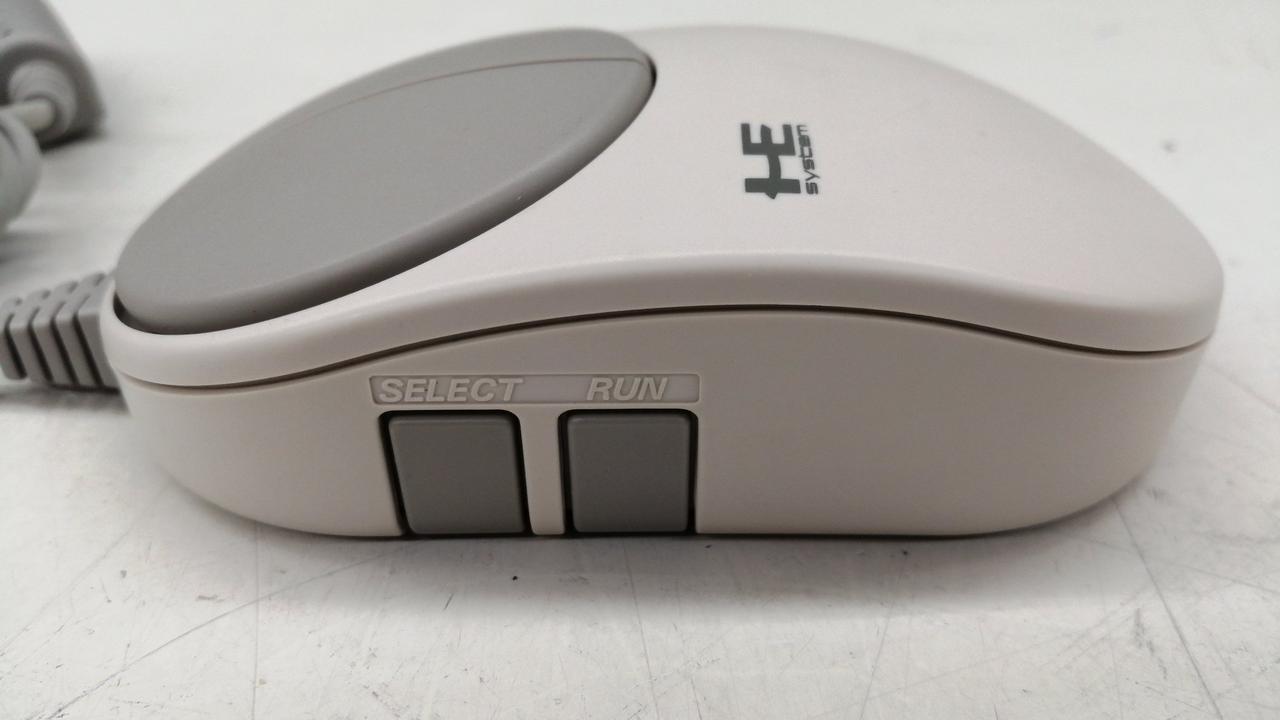
Oh there they are!
8 Likes
DS4Windows supports DualSense and even DualShock 3 apparently, but you have to enable support for them in a weird hidden menu that I would not have found without this little Reddit guide spelling it out for me: https://www.reddit.com/r/DS4Windows/comments/10avgs9/comment/johq7jg/?utm_source=share&utm_medium=web2x&context=3
- Open DS4 Windows
- Click Settings
- Click Device Options
- make sure DualSense is checked.
- Go to main tab in DS4
- press start
Silly-looking hidden menu. : P
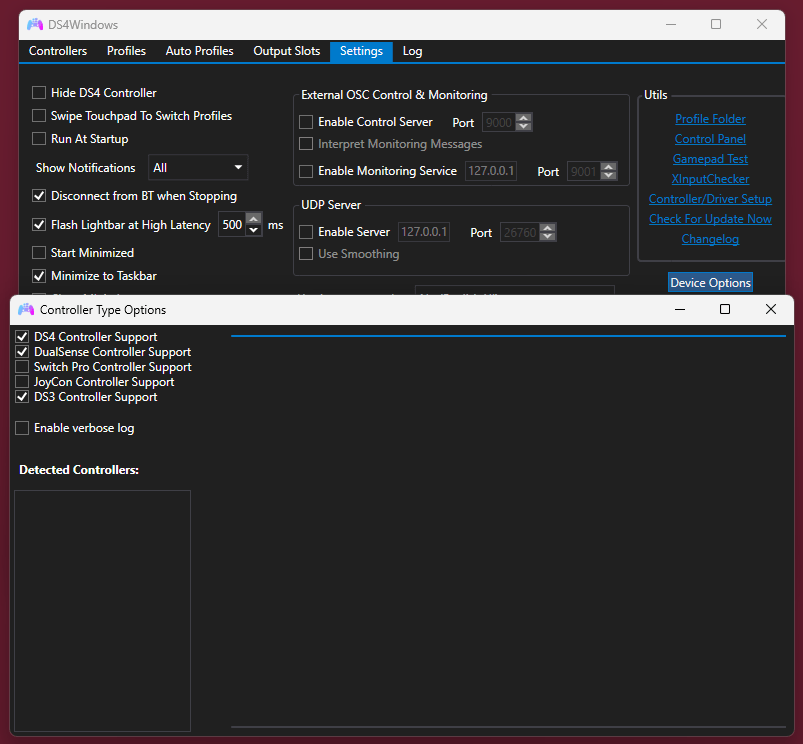
Did the trick for DualSense at least! Haven’t tried my 3rd party PS3 pad.
always fun to flash back to the epsxe era of windows UI design
Ah! When running DS4Windows for the first time, a more polished-looking version of that Controller Type Options list is shown as part of the initial set-up. If you didn’t enable certain controllers when you first ran DS4Windows, though, you gotta hunt down the menu as detailed above.
So far I’m liking the DualSense, which I got for use exclusively on PC after I felt a bit of wrist pain after a long Sonic session with my ol’ DS4–and once I finally realized that DualSenses DO come in black, instead of just that default white/black PS5 Storm Trooper look, or various bright colors.
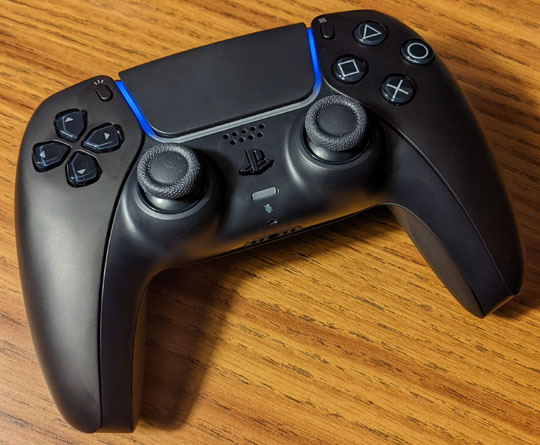
I’d also been kept away by Googled online discussions seeming to concur that the DualSense’s d-pad wasn’t as good as the PS4’s, but I haven’t really felt a difference, other than it was a little stiff initially before I broke it in. Haven’t done a long Sonic session with it yet; seems at least as good as the PS4’s d-pad for driving games so far.
The DualSense’s beefier girth around the top part of the grips feels easier to hold than the DS4, even in my sort of smallish hands (measuring 6.5 inches from heel of thumb to top of index finger). The way the surface of the grips are flush with the d-pad and face buttons up there now is suspiciously similar to the current Xbox pad, but it feels a bit beefier up there than the Xbox pad, if memory serves–but not as superdense-space-meteorite heavy; it is a bit heavier than a DS4; and it doesn’t make cheap plastic creaking sounds like the DS4, which is a nice–but it still feels unmistakably plastic, unlike the Xbox pad which feels carved out of iron somehow; I don’t know which I prefer for that but the Xbox pad did feel a TAD outrageously heavy for its compact size.
The new motorized or whatever triggers feel fancy but I haven’t really used them; and I’m using it wireless so I can’t comment on the new fancy force feedback blah-de-blah, which I’ve read only works wired; vibration I was getting from driving games in PCSX2 did stand out to me more, so I turned it off in those games. : P And I haven’t used the analog sticks much so I can’t say much about those, other than that they feel about the same as the DS4’s.
The redesigned, jagged PS-symbol PS button is silly and uncomfortable.
The regular buttons seem fine. The less obtrusive light is an improvement, it hasn’t even bothered me enough to bother turning it down or off in Steam or DS4Windows or whatever. It’s easier to plug in for charging than the DS4 since USB-C plugs it uses (charging cable not included! ; P) can go in rotated either way, whereas micro USB cables like the DS4 needs only plug in when rotated one particular way; the DualSense also has copper or whatever charging contacts on the bottom for sitting on a charging station I guess (not included!), which the DS4 doesn’t have, but I don’t think I want to fit a charging station on my desk.
Battery life doesn’t seem to be any better than the DS4’s. ; P
DS4Windows does support the DualSense just fine but if you didn’t check the box for DualSense support when you first ran DS4W, you gotta go to its Settings tab and click the Device Options button on the middle right to get to the weirdly hidden menu screen where the checkbox to enable support for the DualSense and other things in DS4W hides.
The improved Steam support is a boon: it doesn’t have to pretend it’s an Xbox controller in most of the games I’ve been playing–unlike the DS4–so they’ll actually show you PS-style button names instead of Xbox ones.
On the first day, on-screen messages told me the DualSense dropped out momentarily when playing two different Steam games, one time each; never had that happen with the DS4; so far it hasn’t happened again on the DualSense since that first day, though.
2 Likes
I just can’t stop thinking about how gross all the corners of that PS button are going to get
3 Likes
realised I’ve still never seen a ps5 or the controller in person
7 Likes
the keychron m6 is fantastic. g502/mx master killer with the gaming and productivity features for $49. infinite scroll, tilt scroll, horizontal scroll, good clicks, and good sensor. no software or branding either
when negative reviews complain about the “build quality” they mean it’s 78g and they’re used to weighted mice dipped in rubber
6 Likes
I used my friend in seattle’s who got one at launch briefly to try the astro bot game the day after I drove down to get vaccinated in march 2021
hated it and don’t think I’ve really interacted with another since. someone brought one to the coca-cola room at meetup 5 but it may as well have been a PS4 since I think we only used it for GT7
1 Like
They’re right.
I really like the pad but literally no one else seems to
2 Likes
it’s the biggest oem controller since the duke so it stands to be kind of polarizing
I have fond memories of the duke, I’ve never experienced anything resembling RSI or carpal tunnel despite having a desk job, and I have relatively long, thin fingers so size usually isn’t an issue for me in either direction, but I remember the really tight triggers and the bulbous grips just feeling bad, like I had to squeeze it unnaturally
as a point of comparison I almost never dislike OEM controllers… the last one I remember really hating was the Xbox Controller S that replaced the duke, actually
judging from the way I use a computer mouse I think I tend to fingertip-grip near exclusively, so the one thing that makes me dislike a peripheral is needing to really get it into my palms
1 Like
the S was a better controller than the Duke because it was usable by normal people but also worse because who the fuck recesses face buttons
2 Likes
yeah that was just awful. I really liked the Duke! The PS5 controller is like a worse Duke for me (I am probably in a tiny minority for feeling this way)
duke is more comfortable because of the offset sticks at least
my ideal analog placement is like the wii u pro controller but i’m not playing action games on a pad anymore
i used the wii u pro controller with a mayflash adapter to play destiny on the ps3 ten years ago which i’m pretty sure would be Not Allowed in this day and age
4 Likes
also did the wii u pro controller + adapter deal for a while, very good controller
3 Likes
I still use the Wii U Pro controller with a Mayflash adapter sometimes to play Steam Remote Play games that require a controller that’s plugged directly into the PC (usually non-Steam games). The wireless range is spectacular, it carries through multiple rooms
3 Likes
Half the reason I haven’t started FF7Rebirth yet is it would require me to use the DualSense.
1 Like