Realized I’ve got next week off starting Saturday so I think I’m “Finally Gonna Do It” and swap out my dinky shitty M.2 SATA I got cheap when I first built my PC for a 2 TB NVME.
But! Of course, like I’ve posted about before, the Morbid Curiosity has got me bad and I’m thinking about running Linux instead of Windows 11. Nobara seems to be the “gamer friendly” distro of choice (I guess it’s being made by the guy who does the Proton GE updates), but I’m waffling between what I know (Gnome) and KDE.
I like the wide array of customization options with KDE, but I find it…noisy? Even just running the live test environment and notifications are popping off left and right for everything.
My only beef with Gnome…just kinda wish I could have that top bar on both monitors. Just a minor nitpick. Maybe there’s some hacky way to do it.
I may have to try Gnome anyhow, since it sounds like it’s a little more stable with an Nvidia card than KDE. Honestly…that’s fine by me. I’ve been using Pop OS on a laptop for ages, I’m familiar enough with it.
Anyway, I dunno. Worst case scenario it doesn’t work out and I wipe and reinstall Windows 11.
Any good guides to undervolting my nvidia gpu? Thing is super loud when the gpu is used at all. I guess I should also double check that there’s a global framerate limit because The Roottreea Are Dead shouldn’t be causing it to ramp up at all…
So my wife is in the market for a new work laptop. It doesn’t have to do anything fancy, just like email job stuff, but she would like it to be 1. as light with 2. as big a screen as possible. I told her those things are usually in conflict, but. Has to be Windows of course. What’s up with laptops these days
I would strongly recommend just setting a global framerate cap in the driver settings and a wattage limit (which may also be in the nvidia app now but which I use msi afterburner for, since I also needed to make a custom fan curve for my custom Chinese blower 4090) rather than trying to play with the voltage. the card is smart enough about allocating voltage, it just shouldn’t be running flat out or at its max TDP that often. I have my 4090 capped to about 340w and 120fps, and a fan curve that maxes at around 70% in the low 80c range, which is much happier than the defaults and much less problematic than trying to change the voltage.
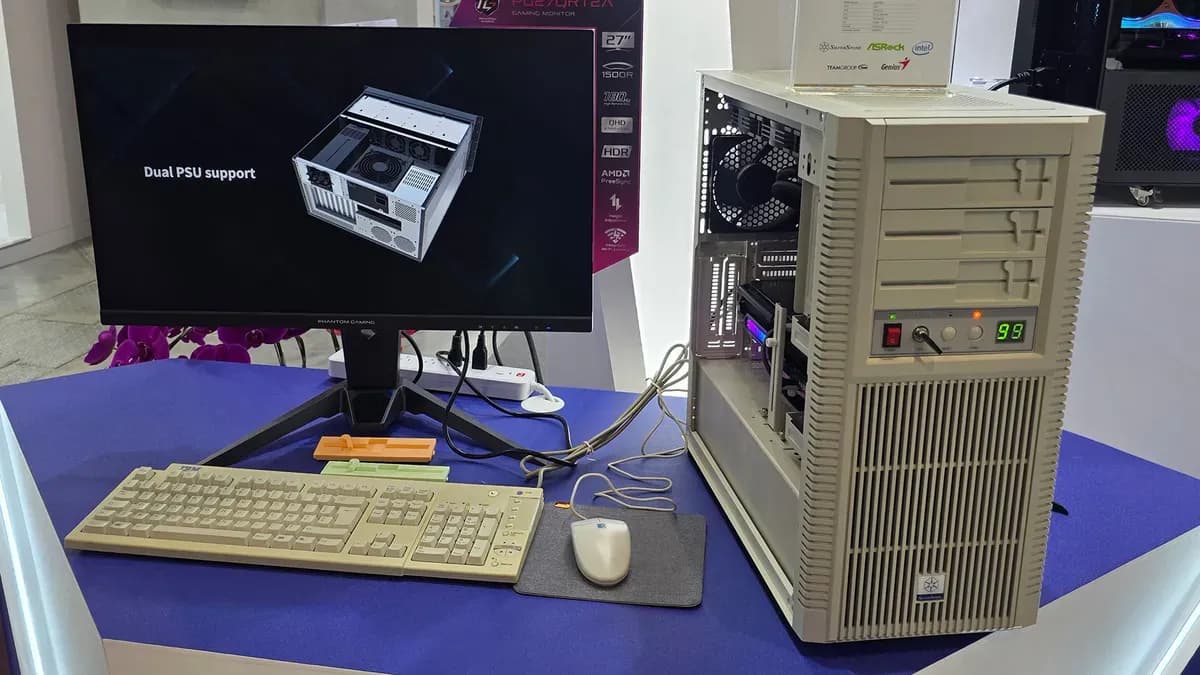
In the video I saw, the covers are just little panels that can be removed by moving the floppy drawer switch. Kinda lame I guess.
I do appreciate that the key locks the power button and all the front buttons are functional. Even the turbo! Tho it was just controlling fan speed in the video.
The top panel can be flipped down to reveal USB ports/etc.
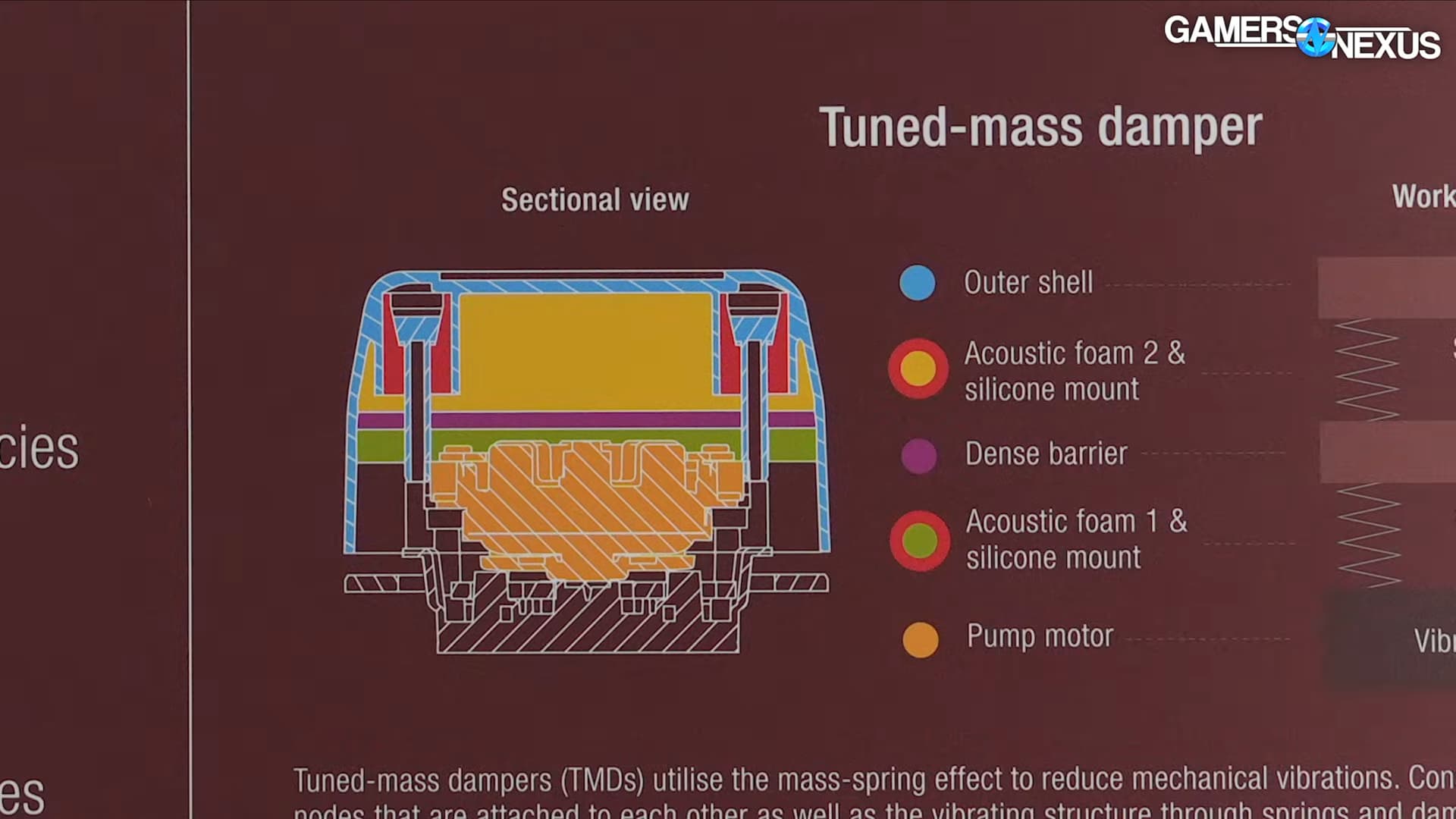
“We cannot predict how your motherboard will resonate on [its] tray” I’m realizing that I will someday find Noctua’s degree of giving a shit repellent but not yet…
Fun thing I found out when doing my NVME swap (which, as said in another thread, was made way easier by switching to the case that I did months ago) and setting up CachyOS was finding out that one of my SSDs is at least partially dead?
It’s not as bad as the other WD SSD I had to pull out of my computer a while back, but it’s got something like 250 dead sectors on it. Guess that’s what I get for going cheap…and also powering off my computer when it seized up uninstalling a Steam game (just gonna say that was the drive going bad, too, for my peace of mind).
It shouldn’t surprise me, since I’ve played most games in the last year on my Steam Deck, but gaming on Linux is pretty good. Lot fewer issues with my graphics card than the internet made there out to be (by which I mean, uh, none, so far).
Edit: I have hit one snag, where trying to select the PC settings for Ultimate Marvel vs. Capcom 3 would crash the game every time. Couldn’t fix that, but could dig up the ini file and bump the resolution/run it full screen.
that’s at the point where I’d say don’t upgrade imo – it’s only a little more than twice as powerful with a feature set that’s better in some ways and worse in others
When it helps to have the little voice that goes ok so what’s the plan here, bud?
Totally unrelated and unsolicited, I’ve been looking at used GPUs and the RTX 4000 workstation card is actually a great choice if you just need something (nvidia). It’s like $225 on eBay, single slot, uses one 8-pin (140W), Turing arch, and supports DLSS. If prices ever come down on the real stuff you could throw it in a server or whatever.