Maybe. In olden times I think this definitely wouldn’t work, but it sounds like it’s possible for it to with contemporary versions of Windows. I don’t know if your old installation will support this, but you can certainly give it a try (as that article recommends I would back up your drive first to be safe). The worst thing that’s likely to happen is it just won’t boot.
That said, with any OS, it’s generally a good idea to start with a fresh installation on fresh hardware. That way you have the best chance of ending up with the right configuration and drivers. EDIT: I’m kind of rethinking this advice…I don’t honestly feel like it’s a good idea. It might work in the barest sense, like if the version of Windows supports identifying the new hardware and fetching the right drivers automatically at boot which it sounds like some newer versions do, but it’s also worth remembering: any software you installed before may have been configured around your old hardware at the time of installation, or may not even support your new hardware if you’re unlucky—so in truth the safest bet is to reinstall everything from scratch, not only Windows itself but all your old applications and everything too. I thought about it and that’s what I do every time, with any OS.
It’s been sort of a long time since I had to think much about this so I kind of spaced out at first I use a source-based Linux distribution (Gentoo)—“source-based” meaning that the package manager receives packages as source code and compiles them on your own hardware as you install them. When I change any of my hardware, I just reconfigure my build environment for the new hardware, then rebuild the Linux kernel and all the installed packages that depend on the new hardware. That ensures that I have the right drivers, and that everything that needs to know about the new hardware is built to spec for it, and I’ll even get the right new default configs for those packages if applicable and any new dependencies they might need and so on. This rules out almost all of of the potential work of moving to new hardware without me really having to think much about it, whether it’s just a small peripheral or a new motherboard—the only thing that really remains is user-side (in-/home/) config files that might relate to my hardware configuration, which I have only a few of I can deal with piecemeal. The ability to change hardware this way is one of the biggest advantages of using a source-based distrubition I think.)
Yeah I would prefer to get a fresh install of Windows, I just don’t want to fork over more money to get ANOTHER copy of windows. I mean, I have like 3 old computers lying around and I’m not using any of them. They all have copies of windows that I’ve paid for one way or another. I just want to be able to put it into a new build.
Windows licensing absolutely sucks. I think it’s a huge scam. Honestly, if you do have a Windows installation that supports changing your motherboard out from under it or whatnot like that article was talking about, that article also mentioned that it will de-activate your copy of Windows anyway because the license is only for a specific hardware configuration (CPU/motherboard in particular I guess probably). So, even if it boots up okay, you’ll apparently still have to get a new license anyway.
EDIT:
It seems reasonable to me…I assume you’re going for like a graphics-focused gaming sort of build? It’s neat that SSDs have gotten so cheap now.
actually I think I didn’t even have to do that, I think whatever iso-to-bootable-usb tool I used just had a box to check to automatically take care of everything
idk, isn’t the ‘enter your windows XP key into win10 installer dialogue’ approach still working?
Would expect that Win11 probably prevents that, because $$$s in exec’s eyes and stuff, of course… however, after their “but it’s free!” trojan horse-style legacy code deprecation scheme that seems to have been more successful than any of their product releases since XP, i would expect that they might have been a bit more lenient (because pirates gonna pirate their OS no matter what, aye…) … naaaaahhhhh of course they would torpedo any goodwill they might have gotten, right.
Anything that doesn’t involve forking over large sums to Microsoft every so often is unlikely to be legitimate in their eyes I would say…but it can’t be denied in material terms that there are ways to activate Windows without doing this. In theory it’s against the user agreement and Microsoft could sue you, however…
…Microsoft makes a lot of their income from businesses, who buy Windows licenses often on a yearly subscription basis and in bulk amounts in the hundreds/thousands/etc for their office workstations and POS systems and so on. Microsoft actually does routinely audit businesses (anyone with a volume license) to ensure that their Windows installations are “in compliance,” so these businesses are terrified of trying to get around the licensing restrictions because of the risk of being taken to court and forced to pay huge damages. The business owners I’ve interacted with personally in this position have never seemed to question the wisdom of doing things this way and just accept the sometimes-many-thousands they pay to Microsoft annually as an intrinsic cost of running an office or store.
[EDIT: Just as an addendum, I’ve heard various statistics about how many installations of Windows worldwide are pirated, but they’re often somewhere around 50% worldwide or so and as high as 80–90% in some countries. I’m not sure how reliable those sorts of statistics are but it wouldn’t surprise me at all. I think Microsoft focuses largely on volume license holders in rich countries because they get the best returns on their effort that way—with it being so widespread there’s presumably diminishing returns on enforcing the license past a certain point. I feel like the whole industry looks kind of silly in a way from this perspective. ]
I will say, just as a side note, I am more than happy to help anyone with an interest in Linux get started in it or get the most out of it or whatnot. I can’t resist saying that in this kind of conversation. It’s not a 1:1 replacement for Windows, but that goes both ways—there are many things you can do in a Linux environment you can’t do in Windows too (like what I mentioned before about the ease of moving to new hardware). It can even be very nice as a gaming environment in some ways; it just depends on what sorts of games you like to play and how. For some users it’s caviar and Windows really can’t compare—it is possible. I personally enjoy it so much that, although I have a Windows partition, I’ve barely ever used it—right now I don’t think I’ve booted into it for over a year, and I always hem and haw about whether it’s even worth the hard drive space.
you can 100% drop an Intel Windows install onto an AMD system and it will probably work until Windows tries to call something that isn’t there, but Windows is good about going “hey I can’t find this thing, better ignore it”
what I’m saying is to clean out the device manager after the swap
I’ve done Sandy Bridge to Zen 1 with W7 (Zen 1 is technically unsupported in 7) and Zen 1 to a Zen APU in 7 (Zen APUs are explicitly unsupported in 7, GPU drivers refuse to install)
also please treat OSes as tools: the right tool for the right job
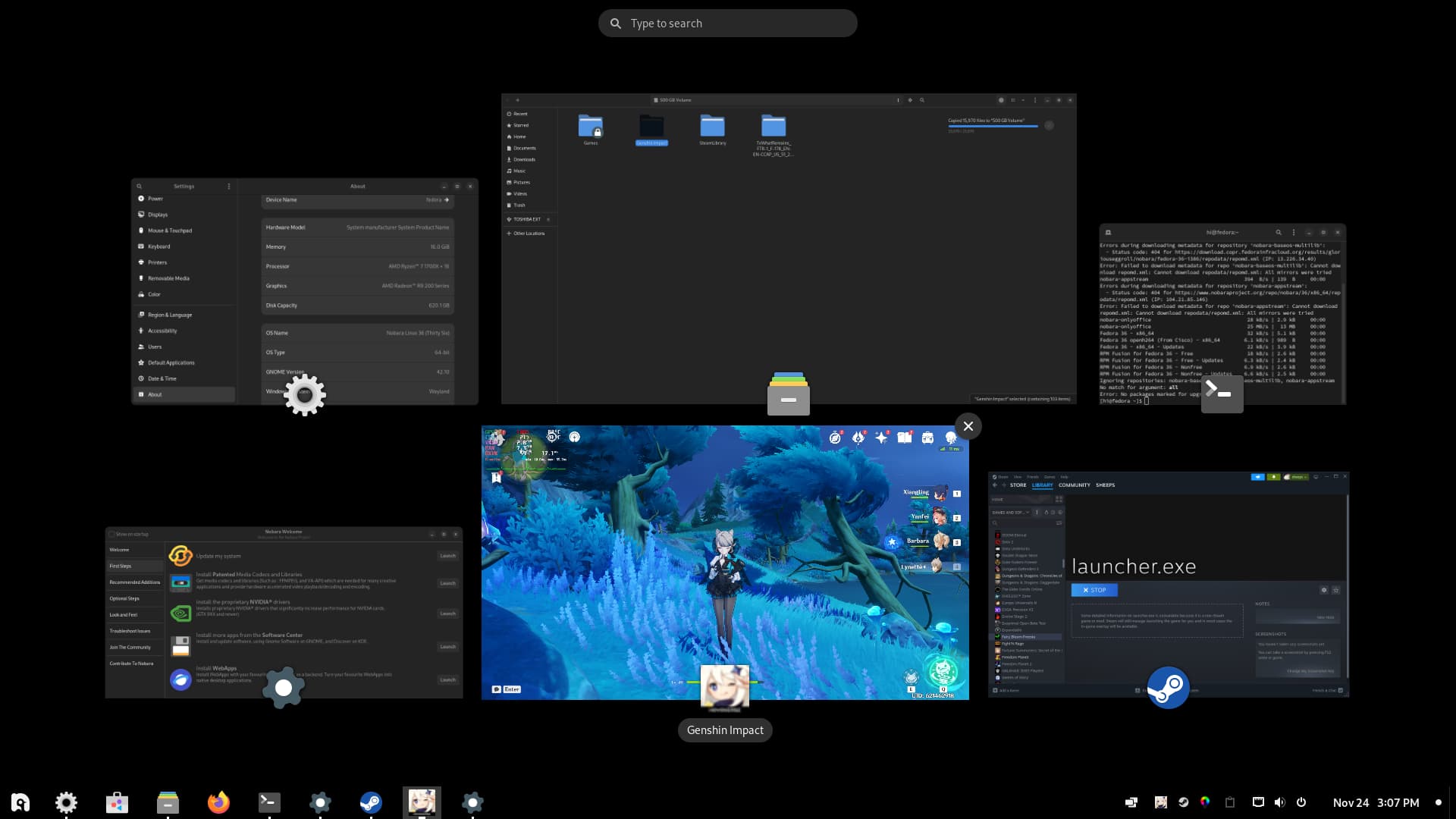
but first let me tell you about how I have become Fedora-brained and sell you on Nobara
None of this is to demean Windows as a piece of software necessarily, I just mean for me personally I know this all varies between individuals…I really don’t interact with Windows much in my daily life, like just being realistic or whatever, but I wouldn’t expect that to work well for everyone…I know everyone needs something different. Obviously I’m happy if other people can get the most out of Windows and have it work well for them and such, I care more about people just having fun with their computers at all; that’s why I’ve been participating in some of the earlier conversations in this thread and so on. I more just wanted to say like, kind of just on the side since ultimately I know this is the hardware thread and this was more in the context of the Windows licensing discussion, for anyone who might actually be interested in Linux, I know it can be kind of complicated to get into, and I’m happy to help figure out how to do things in it or solve technical problems or whatever, if there is anyone here like that (I guess if anyone is having having Linux-related hardware problems we could actually talk about it in this thread ).
Are there any really good solutions for controlling multiple machines with one mouse/keyboard set?
I wanna use my work machine / laptop / game’n box / tablet from mah desk.
Twod be nice to just have a switch to swap between them all, preferably without them having connection/disconnection events happening.
Logitech’s “unifying receiver” stuff does this exactly. I use one mouse and keyboard for two computers and switch just by pressing a button on each. Each USB dongle can allow up to six mice/keyboards etc to connect to a given computer. You can also use Bluetooth.
Each mouse/keyboard can switch between three devices.
The term I’ve heardfor this is “KVM switch” (“Keyboard-Video-Mouse” ). We had a huge metal-case beige one with a chunky red toggle that went “thunk” to switch between the different plugged-in systems, sitting on the helpdesk, at the first place I ever worked, back when I was 16. They’re a bit difficult to search for because you’ll get a lot of enterprise stuff, but if you type in kvm switch home or the like you should get relevant results. It looks like you can get one suitable for home use for like $30–$50.
Since you just said mouse/keyboard, I don’t know if you need the video aspect; it can be very handy in a context where you have a lot of computers floating around though. If you do only need to share mouse/keyboard, that Logitech thing might be a bit cheaper(?), although a KVM switch will work with any hardware. Kind of depends on your requirements.
Some (hopefully) closure on this: I used this tool to test the DPC time and it was telling me that my NVIDIA drivers were causing the issue. After some googling, I disabled the NVIDIA HD Audio device in the device manager and uninstalled NVIDIA PhysX Software. I think the first one was the most important, as I went from getting weird framedrops in the World War Z benchmark to getting a 99% consistent 60 FPS, and LatencyMon looked much nicer. I still did the PhysX thing anyway.
One weird thing is that being alt-tabbed out of the game causes high DPC times, but if I don’t alt-tab and just quit out, the LatencyMon results are much nicer. Gonna assume this is fine.
But yeah, I think the issue is resolved, or at least much much better than before. Thanks to everyone for helping, and especially @km for this tool which really allowed me to focus my troubleshooting. What a nightmare problem…
 I use a source-based Linux distribution (Gentoo)—“source-based” meaning that the package manager receives packages as source code and compiles them on your own hardware as you install them. When I change any of my hardware, I just reconfigure my build environment for the new hardware, then rebuild the Linux kernel and all the installed packages that depend on the new hardware. That ensures that I have the right drivers, and that everything that needs to know about the new hardware is built to spec for it, and I’ll even get the right new default configs for those packages if applicable and any new dependencies they might need and so on. This rules out almost all of of the potential work of moving to new hardware without me really having to think much about it, whether it’s just a small peripheral or a new motherboard—the only thing that really remains is user-side (in-
 It’s not a 1:1 replacement for Windows, but that goes both ways—there are many things you can do in a Linux environment you can’t do in Windows too (like what I mentioned before about the ease of moving to new hardware). It can even be very nice as a gaming environment in some ways; it just depends on what sorts of games you like to play and how. For some users it’s caviar and Windows really can’t compare—it is possible.
  I personally enjoy it so much that, although I have a Windows partition, I’ve barely ever used it—right now I don’t think I’ve booted into it for over a year, and I always hem and haw about whether it’s even worth the hard drive space.