I would be annoyed with it if it didn’t have a functional screen, nvme drive enclosure, and a useful hub of connectors. Those things redeem it for me. But yeah, CRT look with LCD functionality is pretty lame!
2 Likes
Bought my boyfriend a drop in replacement keyboard for his laptop, god bless old Lenovo laptops.
2 Likes
dusted off the surface pro 2 again. ziptied the charge cable in such a position where it might work more consistantly, but who knows how long that’ll last. the mouse click no longer works on the keyboard cover’s touchpad. Very much just hanging in there on windows 10. I really want a replacement tablet though. There is no replacing drawing on a screen and nothing beats having the whole thing as one unit. I really can’t find anything that works the same that isn’t a hyper expensive ai-riddled surface pro. i suppose I will just have to upgrade at some point
i keep coming back to the framework 12 because its smol and every other tablet windows computer sucks or is way too expensive or both
2 Likes
I normally consider these sorts of articles “vapid but technically true”, but this one actually is just a straightforward to-do list of useful things you can do to improve your security posture, with reasons given for doing each, and ordered both by level of security and level of complexity in implementation, with decent timeframes given for that:
most of this is fine but the Private DNS and a lightweight VPN is a bit troublesome. enabling DNS over HTTPS is a bit useless/misleading, since it only protects requests from the browser. better to set up DNS over TLS (DoT) in systemd-resolved & it will take effect on most programs (that don’t do their own DNS resolving)
of course, the point of keeping DNS queries confidential is to stop casual sniffing of packets over your network connection. so, your ISP. I guarantee they do not keep DNS query logs. more likely that logs are kept for the nameservers the resolver eventually connects to
5 Likes
the backlight in my monitor is jacked up. so much for the refurbished ebay option. I think you mostly can’t tell if you leave it in sdr mode though and there’s not a solid grey background on the screen. The window of games inbetween hdr shaders and hdr that I didn’t add an inverse tone mapping shader to is still playable. I’d guess rattling around in the back of my car for 6000 miles didn’t help but I was already having issues with the monitor blinking out for a second or two, seemingly related to refresh rate changes or something, so I had already been thinking about looking into what 4k 240hz 27 inch oled monitors were out there around january or so but I guess I’ll have to do that sooner. it looks like there’s only like two of them anyway. expensive but displays and audio are two things where I need the nice thing not the okay thing, sight and sound are the foundation to everything else. and any burn in risk is worth never having to look at an lcd screen ever again.
3 Likes

My Asus PG32UCDM has been good. One of those two 4k240 32” oled panels out there, no complaints about the panel itself so the others are probably just as good. The BFI asus built into the firmware is only available at 120hz and lower, it’s not great but you probably don’t need it.
DisplayPort 1.4 is pretty limiting and nvidia has weird bugs with DSC on so definitely use HDMI, learned that the hard way. Don’t know if you need audio out from the monitor itself but the optical out is only going to be 2.0 PCM and there’s no volume control.
Oh I just realized you said 27 not 32. Oops. Maybe that helps anyway.
look it’s good that your monitor died because now companies are finally shipping tandem OLED displays into the retail channel
Tandem OLED making OLED brighter seems nuts to me I have a regular OLED and when shit flashes it strobes the whole room.
Reading up its apparently its also faster / lower lag. Though I think OLED is already pretty good
via: ASUS Launches World’s Fastest Dual-Mode OLED: 1440p @ 540Hz or 720p @ 720Hz
ASUS’s flagship offering, called ROG Swift OLED PG27AQWP-W, is the fastest-ever OLED gaming monitor in today’s market, which boasts a dual mode configuration to switch between 540Hz@1440p and 720Hz@720p modes. While the 540Hz is already the highest refresh rate at 1440p resolution, the introduction of the 720Hz refresh rate makes it blazingly fast, but unfortunately cannot go beyond 720p resolution.
Thats just numbers porn.
ROG Strix OLED XG27AQWMG, is a mid-range offering, boasting the same LG Tandem OLED panel, but it offers up to 280Hz refresh rate at 1440p resolution. It’s ideal for the masses, as 280Hz is sufficient even for professional competitive gaming.
Also nuts. I sill feel like 120hz or free sync is luxurious
1 Like
it’s not enough to be flashbanged in a dark room that you also have to be flashbanged with sunlight pouring in from a window
2 Likes
i’ve never actually transported a full tower somewhere before, am i being overly cautious if i remove the gpu to drive the thing like 2 minutes away
yeah
I would only do the whole deconstruction thing if it was actively being shipped or a long drive
you’re probably good to throw it in the trunk (provided it has some stuff around to keep it from moving) or if you want to be careful, if you still have the case’s box, throw it in that
1 Like
Lay it on its side so that the gpu is perpendicular to the ground rather than just hanging off the socket bouncing around as you go over bumps, as long as you’re not in an initial d style drift race on the way to your destination that’s probably enough
9 Likes
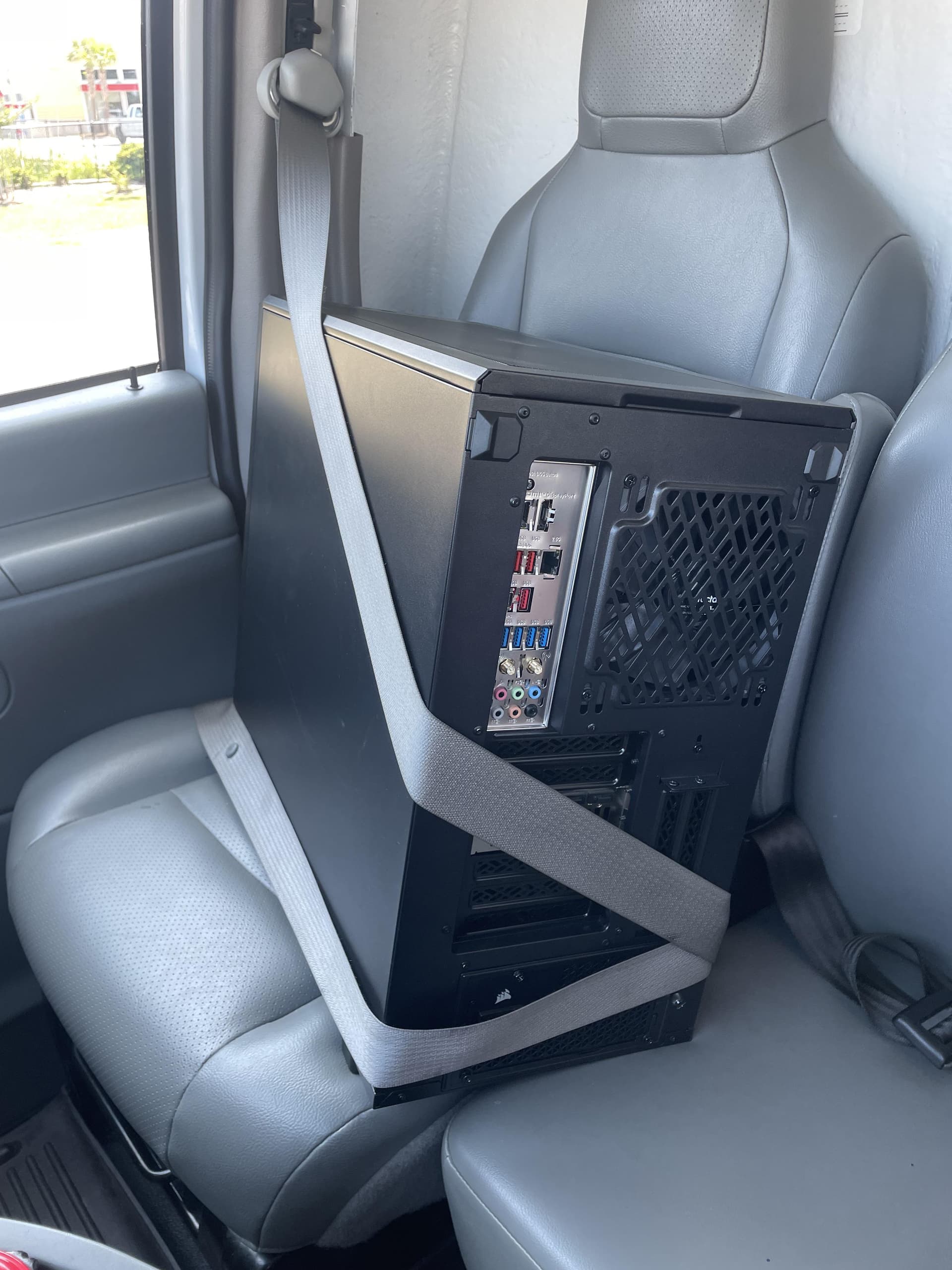
Yeah passenger seat, seatbelted is basically the only way I’d transport a tower but I guess I’m risking injury in the event of an accident
2 Likes
sir, you need a child seat for that
5 Likes
on its side in the trunk is the way. we gotta bring lan parties back
7 Likes
i have a half baked scheme to load up a bunch of raspberry pis or whatever with half life and some mods and then raid a thrift store for monitors, keyboards, and mice
5 Likes
I think you got your answers already, but the only thing not explicitly mentioned is to make sure that it’s clipped or screwed in to the case. Eg, my GPU is fastened to the slot-side of the case with a screw that keeps it tight and in place. For a quick car ride while on its side, even that probably doesn’t matter, but if you want to be paranoid, there ya go.
2 Likes